

What Are Sponsored Jobs?
Sponsored jobs give your posting premium visibility on major job boards, helping you attract more qualified candidates faster. This guide explains how sponsored postings work in SmoothHiring, when to use them, and how to maximize their effectiveness.
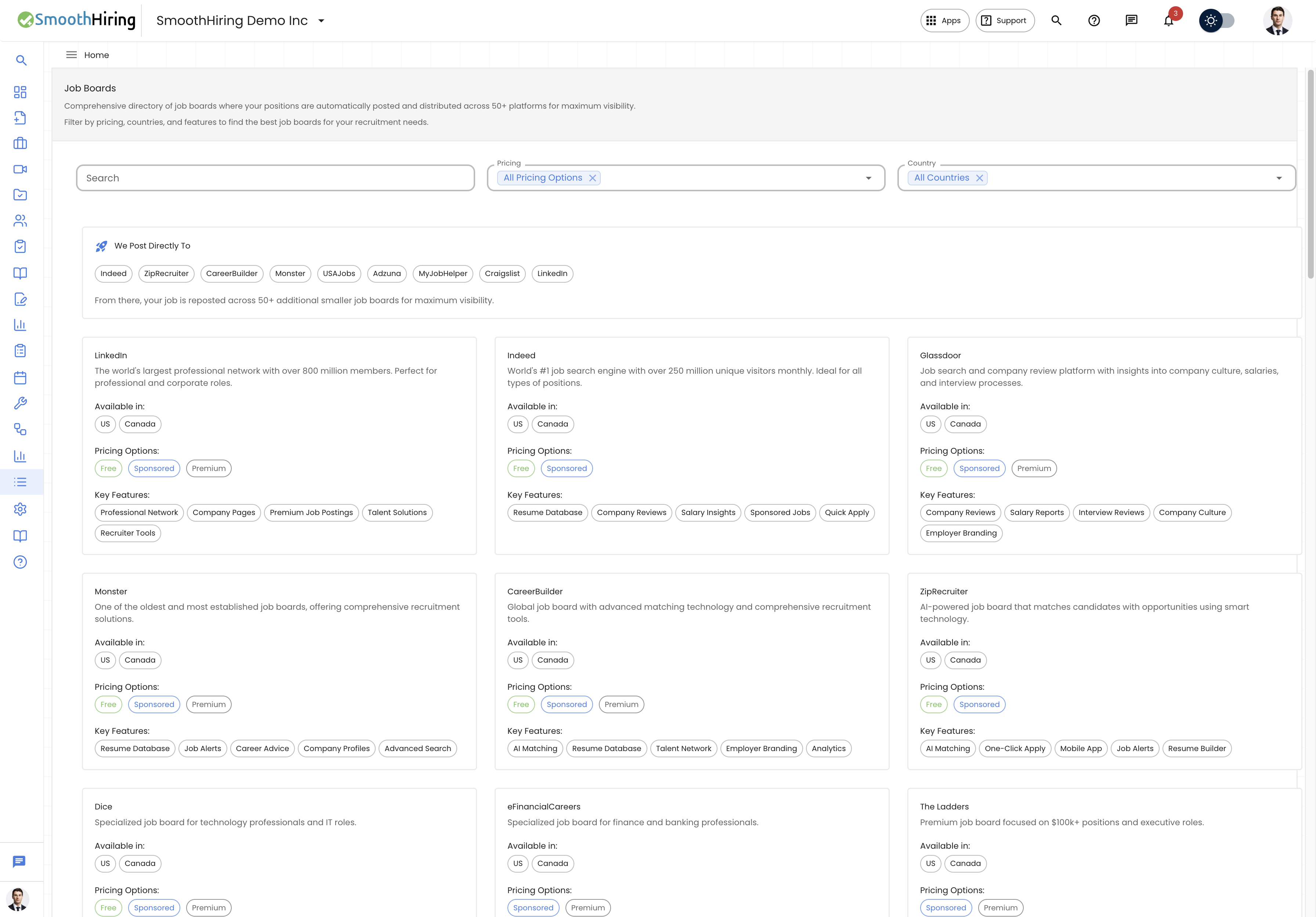
What Are Sponsored Jobs?
A sponsored job is a paid promotion that boosts your posting's visibility on job boards beyond what organic (free) listings provide. When you sponsor a job:
- Your posting appears higher in search results on job boards
- It receives featured or highlighted placement on platforms like Indeed, ZipRecruiter, and LinkedIn
- More candidates see and click on your posting
- You typically receive 3–5x more applications compared to free listings
Sponsorship is handled through SmoothHiring's bundle system during the job posting process, so you don't need to manage sponsorship on each job board individually.
How Sponsorship Works in SmoothHiring
SmoothHiring simplifies job sponsorship by packaging it into your posting bundles:
During Job Creation
- Complete your job details, requirements, compensation, and description
- On the Bundles step, choose a base bundle that includes sponsorship
- Optionally add Add-On Bundles for additional sponsored placements (e.g., LinkedIn)
- Review your total cost in the Selected Packages summary
- Complete payment to activate your sponsored posting
Bundle Types
Base Bundles include varying levels of sponsorship:
- Each bundle has a clearly labeled feature list showing what's included and excluded
- Bundles marked with a ⭐ Recommended badge offer the best value for most employers
- Pricing is shown per job posting
- If you have inventory credits from a subscription or previous purchase, they are applied automatically to reduce your cost
Add-On Bundles provide additional sponsored visibility:
- Platform-specific add-ons (e.g., LinkedIn sponsorship)
- Each add-on requires a base bundle to be selected first
- Add-ons show their features, pricing, and can be selected with a checkbox or "Add to Cart" button
Note: For free trial accounts, certain add-ons (like LinkedIn) may not be included in the trial package.
When to Use Sponsored Jobs
Sponsoring your job posting is recommended in these situations:
High-Priority Hiring
When you need to fill a position quickly — such as replacing a departing employee or staffing up for a new project — sponsorship dramatically accelerates your candidate pipeline.
Competitive Markets
In regions or industries with heavy competition for talent, free listings can get buried under hundreds of other postings. Sponsorship keeps your job visible.
Hard-to-Fill Roles
Specialized positions (niche technical skills, executive roles, licensed professionals) benefit from wider reach and premium placement to find the smaller pool of qualified candidates.
Volume Hiring
When you need multiple hires for the same role, sponsorship ensures a steady, high-volume flow of applicants throughout your posting period.
New Companies or Small Brands
If your company doesn't yet have strong employer brand recognition, sponsored placement helps compensate by putting your posting where candidates will see it regardless of brand awareness.
Sponsorship on Major Platforms
Here's how sponsorship manifests on the key job boards in SmoothHiring's network:
Indeed Sponsorship
- Placement: Sponsored jobs appear at the top of relevant search results
- Visibility: Significantly more impressions than organic listings
- Model: Pay-per-application or flat-rate depending on your bundle
- Features: "Sponsored" badge, priority in Indeed's matching algorithm, email alerts to matching candidates
ZipRecruiter Sponsorship
- Placement: Featured in candidate matching and email notifications
- Visibility: AI-powered distribution to the most relevant candidates
- Features: "Featured" badge, smart matching technology, one-click apply integration
LinkedIn Sponsorship
- Placement: Appears in job seekers' feeds and targeted recommendations
- Visibility: Leverages LinkedIn's professional network data for precise targeting
- Features: Access to LinkedIn's 800+ million member network, professional targeting by skills, experience, and industry
- Note: LinkedIn is typically available as an add-on bundle in SmoothHiring
CareerBuilder Sponsorship
- Placement: Priority placement in search results and category listings
- Visibility: Access to CareerBuilder's AI matching engine
- Features: Featured listing, talent network exposure, employer branding enhancements
Monster Sponsorship
- Placement: Enhanced placement with premium job listings
- Visibility: Resume database access and job alert distribution
- Features: Featured job badge, career advice integration, advanced candidate search
Custom Job Budget
For accounts with custom budget capabilities enabled, you can set a specific advertising budget amount for your sponsored job:
- After selecting your bundles, a Custom Job Budget section appears
- Enter your desired budget amount in dollars
- This budget is applied as additional advertising spend on top of your bundle selection
- The custom budget amount is added to your total cost in the checkout summary
This gives you granular control over how much you invest in each individual job's visibility.
Inventory Credits
SmoothHiring supports a credit-based inventory system to simplify recurring hiring:
- How credits work: If you have purchased credits or have a subscription that includes posting credits, they are automatically applied when you select a bundle
- Credit display: When selecting bundles, the pricing shows "1 of X credits" instead of a dollar amount if a matching credit is available in your inventory
- Mixed purchases: You can use credits for some bundles and pay for others in the same transaction
- Credit tracking: Your remaining credit balance is visible in your account settings
Auto Job Post with Sponsorship
When you enable Auto Job Post on an active job, you can configure whether the automatic repost includes sponsored bundles:
- Navigate to the job's Advanced Settings in the Job Summary panel
- Enable Auto Job Post
- Toggle Include Sponsored Postings to include your current bundle selections in the automatic repost
- Select which specific bundle IDs to use for the repost
- The repost preview shows the estimated cost, including any credits that will be applied
This ensures continuous sponsored visibility without manual intervention.
Measuring Sponsored Job Performance
After sponsoring a job, monitor these metrics to evaluate your investment:
| Metric | Where to Find It | What It Tells You |
|---|---|---|
| Job Visit Count | Jobs list and Job Summary | Total views your posting has received |
| Application Rate | Applicant pipeline | Percentage of viewers who complete an application |
| Fit Distribution | Job Summary → Overview | Quality breakdown of applicants (Strong, Good, Fair, Weak Fit) |
| Job Board Links | Job Summary → Job Links | Which platforms your posting is live on |
| Time-to-Fill | Pipeline analytics | How quickly you're moving candidates through stages |
Performance Benchmarks
- A well-optimized sponsored job on Indeed typically receives 50–200+ applications in 30 days
- LinkedIn sponsored posts generate 3–5x more views than organic listings
- Combined multi-platform sponsorship can generate 100–500+ applicants depending on the role and location
Best Practices for Sponsored Jobs
- Optimize before you sponsor — A poorly written job description won't convert even with premium placement. See Optimize Job Posting first.
- Include compensation — Sponsored jobs with salary information receive up to 30% more applications
- Use complete location data — Accurate city, state, and zip code ensure your sponsored post reaches the right geographic audience
- Start with a recommended bundle — The ⭐ Recommended bundles are designed for optimal performance
- Add LinkedIn for professional roles — The LinkedIn add-on provides access to passive candidates not actively searching on traditional job boards
- Monitor and adjust — If you're getting enough quality applicants from the base bundle, you may not need add-ons. If results are slow, consider adding sponsorship.