

Calibrating Culture Fit in SmoothHiring
Overview
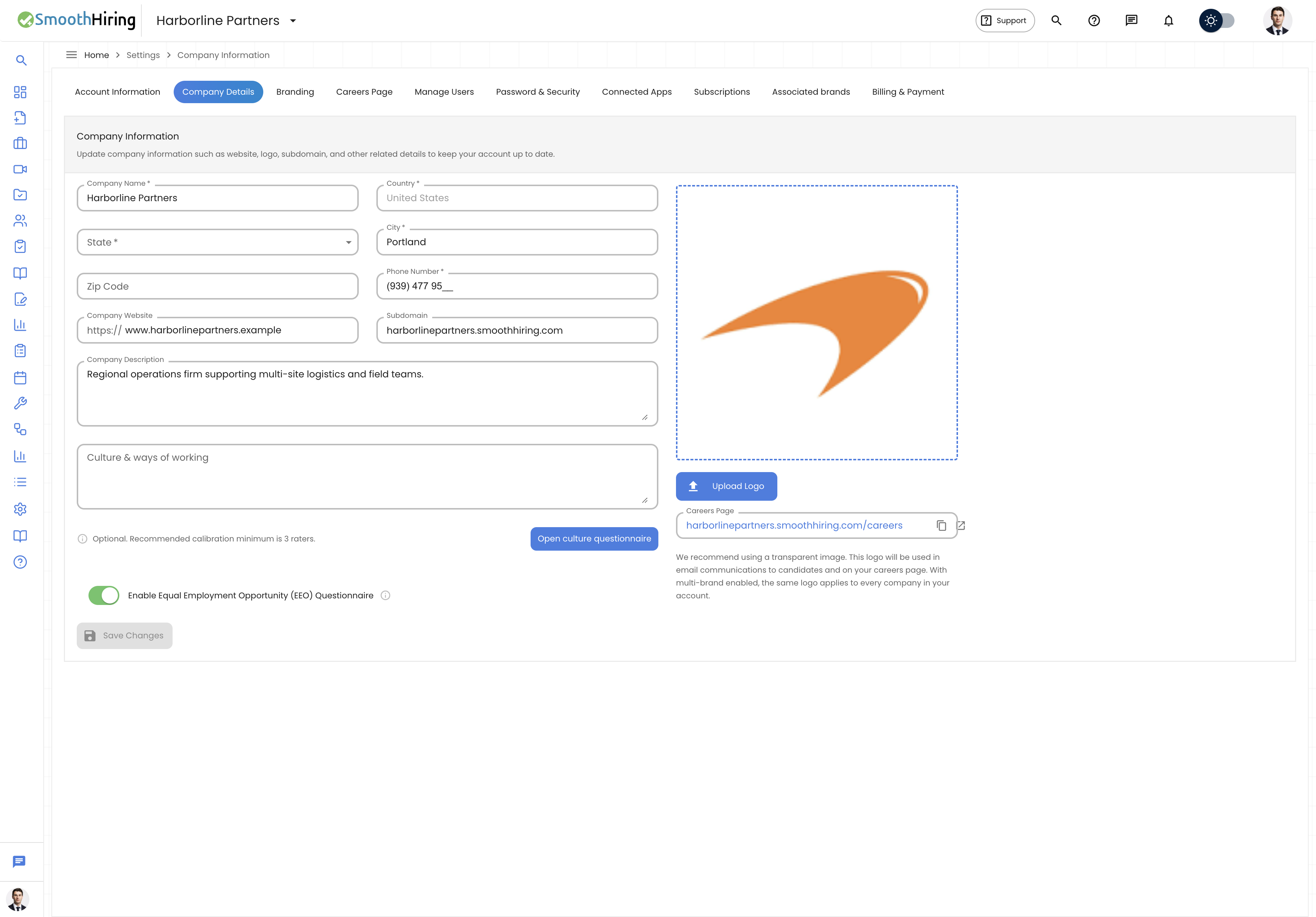
Culture Fit Calibration is SmoothHiring's powerful feature that helps organizations define, measure, and leverage their unique workplace culture in the hiring process. By gathering input from your existing team members about your organization's cultural values and work style, SmoothHiring creates a Culture Profile — a data-driven representation of your company's culture that is then used to evaluate how well candidates align with your team.
Unlike generic personality tests, Culture Fit Calibration is specifically tailored to your organization. It captures the nuances of how your team collaborates, communicates, makes decisions, and approaches work, creating a benchmark that reflects your actual culture rather than an idealized version of it.
Why Culture Fit Matters
Research consistently shows that culture fit is one of the strongest predictors of employee satisfaction, retention, and performance. Employees who align with their organization's culture are:
- More engaged — They feel connected to the company's mission and values
- More productive — Their natural work style matches what's expected
- More likely to stay — Reducing costly turnover
- Better collaborators — They mesh well with existing team dynamics
SmoothHiring's Culture Fit Calibration transforms these insights from gut feelings into measurable, data-driven hiring criteria.
How Culture Calibration Works
The Calibration Process
Culture Fit Calibration follows a structured process to build your organization's culture profile:
- Initiation — An administrator starts the calibration process from Settings
- Rater Invitation — Key team members are invited to participate as culture raters
- Questionnaire Completion — Each rater completes the culture questionnaire
- Profile Generation — SmoothHiring aggregates responses into a culture profile
- AI Analysis — The system generates insights, narratives, and confidence scores
- Candidate Matching — The profile is used to score candidates during screening
Getting Started
To begin culture calibration:
- Navigate to Settings → Account Settings → Culture Fit tab
- Click Start Calibration to initiate a new calibration round
- You'll see the calibration dashboard showing the current status
Tip: You can re-calibrate at any time if your culture evolves or your team composition changes significantly.
Inviting Raters
The accuracy of your culture profile depends on gathering diverse perspectives from your team. The more raters who participate, the more reliable and nuanced your profile becomes.
Who Should Be Invited
- Team leaders and managers — They understand operational culture
- Long-tenured employees — They know the established norms
- Cross-functional representatives — For a holistic view
- Recent hires who have integrated well — They bring fresh perspective
How to Invite Raters
- From the Culture Fit tab, click Invite Raters
- Enter email addresses of team members you'd like to participate
- Optionally add a personal message explaining why their input matters
- Click Send Invitations
Invited raters will receive an email with a link to complete the questionnaire. You can track who has completed the questionnaire and send reminders to those who haven't yet responded.
Minimum Raters
While the system can generate a profile with as few as 3 raters, we recommend 5-10 raters for optimal accuracy. The confidence score of your profile increases with more participants.
The Culture Questionnaire
The questionnaire is designed to be completed in approximately 10-15 minutes. It measures your organization across multiple cultural dimensions using carefully crafted questions.
Question Format
Raters respond to statements about your workplace using a scale that captures both the current state and the ideal state of your culture. Questions are presented in a clear, intuitive interface with progress tracking.
What Raters Experience
- They click the invitation link in their email
- A brief introduction explains the purpose and process
- Questions are presented one dimension at a time
- A progress bar shows how far along they are
- Upon completion, they see a thank-you confirmation
Note: Individual responses are kept confidential. Only the aggregated profile is visible to administrators.
Culture Dimensions
SmoothHiring measures culture across several key dimensions, each representing a spectrum of organizational values:
Core Dimensions
| Dimension | Spectrum |
|---|---|
| Innovation | Traditional & Proven ↔ Experimental & Cutting-Edge |
| Collaboration | Independent Work ↔ Team-Oriented |
| Structure | Flexible & Adaptive ↔ Structured & Process-Driven |
| Pace | Steady & Sustainable ↔ Fast-Paced & Urgent |
| Communication | Formal & Hierarchical ↔ Open & Flat |
| Decision Making | Data-Driven & Analytical ↔ Intuitive & Experiential |
| Risk Tolerance | Conservative & Cautious ↔ Bold & Risk-Taking |
| Work-Life Balance | Work-Centric ↔ Balance-Focused |
Each dimension is scored on a scale, and there are no "right" or "wrong" positions — every organization has its own unique combination that makes it successful.
The Culture Profile Chart
Once calibration is complete, your results are displayed as an interactive radar chart (also called a spider chart). This visual representation makes it easy to understand your culture at a glance.
Reading the Chart
- Each axis represents one cultural dimension
- The distance from center indicates the strength of that trait
- The shape of the polygon reveals your culture's overall character
- Colors differentiate between current culture and aspirational targets
Profile Insights
Below the radar chart, you'll find:
- Dimension Scores — Numerical scores for each cultural dimension
- Strongest Traits — The dimensions where your team showed the most agreement
- Areas of Variation — Dimensions where raters had different perspectives
- Overall Profile Summary — A plain-language description of your culture
AI-Generated Insights & Narrative
SmoothHiring's AI analyzes your calibration data to generate rich, contextual insights about your organization's culture.
What the AI Provides
- Culture Narrative — A written description of your workplace culture that reads naturally and captures nuances beyond raw numbers
- Strength Analysis — Identification of cultural traits that are strongly held and consistent across raters
- Potential Blind Spots — Areas where there may be perception gaps between different groups
- Hiring Recommendations — Suggestions for what to look for (and watch out for) in candidates based on your culture
How Insights Are Generated
The AI examines:
- Agreement patterns among raters
- The relationship between different dimensions
- How your profile compares to high-performing organizations in your industry
- The consistency of responses within demographic groups
Confidence Scoring
Every culture profile includes a Confidence Score that indicates how reliable the profile is likely to be.
What Affects Confidence
| Factor | Impact on Confidence |
|---|---|
| Number of raters | More raters = higher confidence |
| Agreement between raters | Higher consensus = higher confidence |
| Completion quality | Thoughtful, varied responses = higher confidence |
| Response time | Very fast completions may indicate less thoughtful responses |
Confidence Levels
- High (80-100%) — Profile is highly reliable; safe to weight heavily in hiring decisions
- Moderate (60-79%) — Profile is useful but consider supplementing with additional raters
- Low (below 60%) — Consider inviting more raters or investigating disagreements
Integration with Candidate Screening
Once your culture profile is established, it automatically integrates into the candidate evaluation process.
How Candidates Are Scored
- Candidates complete personality and work-style assessments as part of their application
- SmoothHiring compares candidate responses against your culture profile
- A Culture Fit Score is generated for each candidate
- The score appears on the candidate's profile alongside other assessment results
Using Culture Fit Scores
- Culture fit scores appear in the applicant pipeline view
- You can filter and sort candidates by culture fit
- The score contributes to the overall candidate ranking
- Detailed breakdowns show which dimensions align and which don't
Important Considerations
- Culture fit is one factor among many — don't use it as the sole decision criterion
- High culture fit doesn't mean "same as everyone" — it means compatible work styles
- Periodically re-calibrate to ensure your profile stays current as your organization evolves
Recalibrating Your Culture Profile
Organizations change over time. We recommend re-calibrating:
- After significant team growth (more than 30% new hires)
- After leadership changes
- After major organizational restructuring
- At least annually as a best practice
To recalibrate, simply start a new calibration round from the Culture Fit tab. Previous profiles are retained for historical comparison.
Frequently Asked Questions
Q: Can raters see each other's responses? A: No. Individual responses are confidential. Only the aggregated profile is visible.
Q: How long does the questionnaire take? A: Most raters complete it in 10-15 minutes.
Q: Can I exclude certain raters' responses? A: Administrators can manage the rater pool, but individual responses cannot be selectively excluded after submission.
Q: Does culture fit discriminate against diversity? A: SmoothHiring's culture dimensions focus on work style preferences and communication patterns, not demographic characteristics. The system is designed to promote inclusion by focusing on behavioral compatibility rather than demographic similarity.
Q: Can I have different culture profiles for different departments? A: Currently, culture calibration operates at the organization level. Department-level calibration is on our roadmap.
Best Practices
- Invite diverse raters — Include people from different roles, levels, and backgrounds
- Communicate the purpose — Help raters understand why their input matters
- Don't over-interpret — Use culture fit as one data point among many
- Review regularly — Check if your profile still feels accurate
- Act on insights — Use the AI narrative to improve your employer branding and job descriptions