

How to Optimize Your Job Posting in SmoothHiring
Creating a job posting is just the first step. Optimizing it ensures you attract the highest-quality candidates in the shortest time. SmoothHiring provides several built-in tools and best practices to help you maximize your job's visibility, applicant quality, and conversion rate.
Why Optimization Matters
A well-optimized job posting can dramatically improve your hiring outcomes:
- More qualified applicants — Clear, detailed postings attract candidates who genuinely match your requirements
- Faster time-to-hire — Better-matching candidates mean fewer screening rounds and quicker decisions
- Lower cost-per-hire — Higher-quality applicant pools reduce the need for additional advertising spend
- Better candidate experience — Professional, thorough postings reflect well on your employer brand
Crafting the Perfect Job Title
Your job title is the single most important field for search visibility. Here are the key principles:
Do
- Use standard, recognizable titles — "Marketing Manager," "Software Developer," "Administrative Assistant"
- Keep it concise — 3–5 words perform best
- Include the seniority level when relevant — "Senior Account Executive," "Junior Designer"
- Match how candidates search — Think about what your ideal candidate would type into a job board search
Don't
- Avoid creative or internal titles — "Marketing Guru," "Code Ninja," or "Chief Happiness Officer" won't appear in search results
- Don't overload with keywords — "Marketing Manager SEO PPC Social Media Digital" looks spammy
- Skip abbreviations unless universally understood — Use "Software Developer" not "SW Dev"
- Avoid ALL CAPS — It reduces readability and looks unprofessional
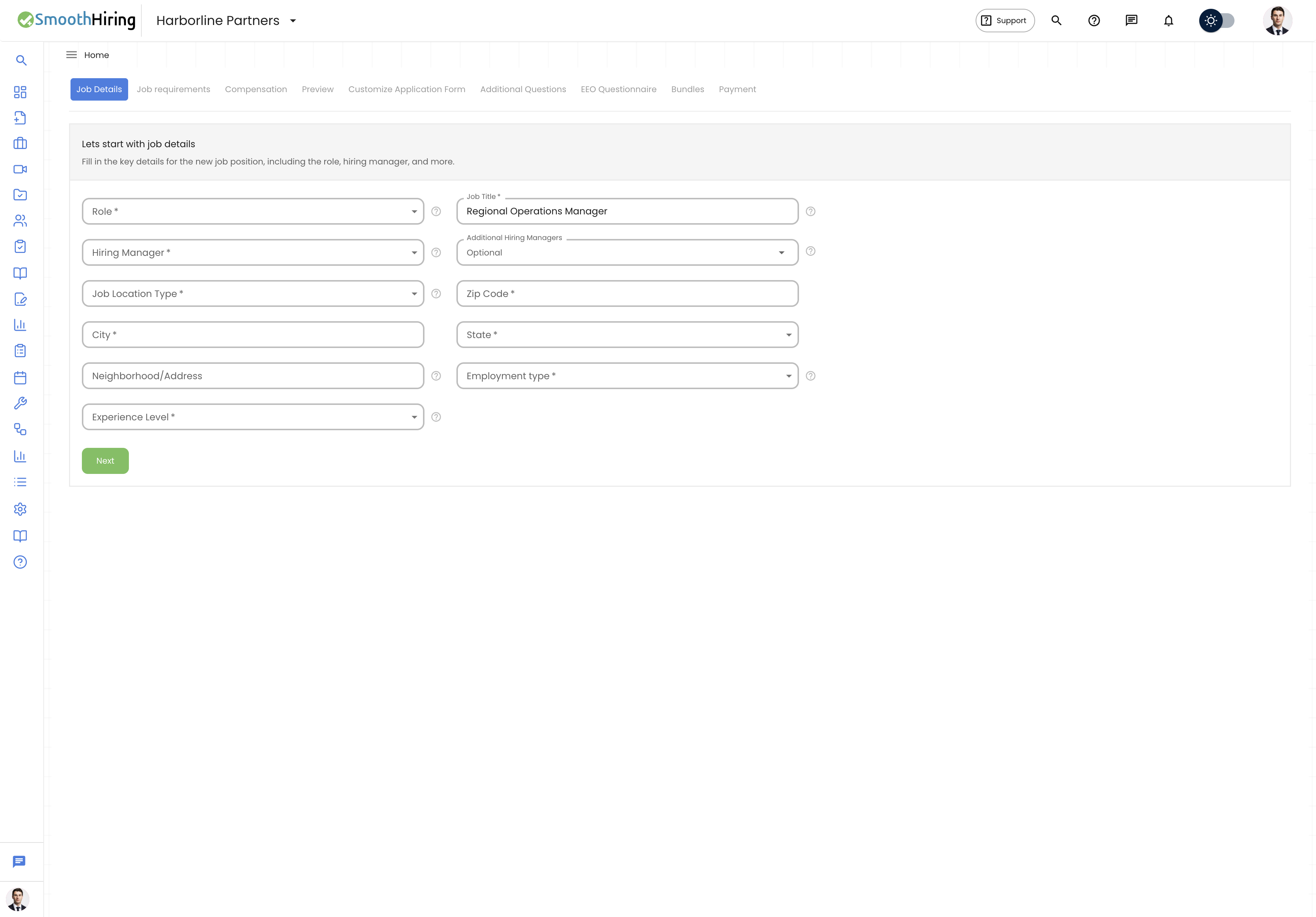
Tip: When selecting your Role in Step 1, SmoothHiring maps it to industry-standard job classifications. This ensures your posting matches the right behavioral assessment profile. Pick the closest match even if it's not an exact fit — you can customize the Job Title field separately.
Optimizing Job Requirements
The requirements you enter in Step 2 serve double duty: they screen candidates AND generate your job description. Getting them right is critical.
Education Requirements
- Set realistic minimums — requiring a Master's degree when a Bachelor's would suffice dramatically reduces your applicant pool
- Use the importance levels wisely: mark the true minimum as Must Have and aspirational levels as Nice to Have
Qualifications
- Write clear, answerable questions — candidates respond with Yes/No
- Include legally required qualifications (work authorization, licenses, certifications)
- Avoid vague qualifications like "team player" — these are better captured as skills
Job Duties
- List 5–8 key responsibilities for an optimal balance of detail and readability
- Start each duty with an action verb: "Manage," "Develop," "Coordinate," "Analyze"
- Put the most attractive and important duties first — candidates often skim
- Include a mix of daily tasks and bigger-picture responsibilities
Skills
- Distinguish between hard skills (tools, technologies, certifications) and soft skills (communication, leadership)
- Be specific: "Proficiency in Salesforce CRM" is better than "CRM experience"
- Use Must Have sparingly — every must-have requirement reduces your applicant pool
- Consider which skills can be learned on the job (mark those as Nice to Have)
Leveraging Keywords
Keywords are a powerful but often underutilized optimization tool in SmoothHiring. They improve resume scoring and help the system identify better-matching candidates.
Best Practices for Keywords
- Add at least 8 keywords — The system alerts you when you have fewer than 8, as more keywords significantly improve matching quality
- Use AI keyword generation — Click the sparkle (✨) icon next to the keywords field. SmoothHiring's AI analyzes your job role and suggests relevant keywords automatically.
- Mix keyword types:
- Technical skills: "Python," "SQL," "Adobe Creative Suite"
- Industry terms: "digital marketing," "supply chain," "regulatory compliance"
- Certifications: "PMP," "CPA," "AWS Certified"
- Soft skills: "leadership," "communication," "problem-solving"
- Avoid overly generic keywords — "work," "team," "good" match too many resumes and dilute scoring
- Maximum of 15 keywords — Focus on the most differentiating terms
- Remove irrelevant AI suggestions — Review AI-generated keywords and delete any that don't apply
Writing an Effective Job Description
Your job description is your primary sales pitch to candidates. SmoothHiring offers three approaches:
Option 1: Use SmoothHiring (Recommended for Speed)
The auto-generated description pulls from your requirements, compensation, and company profile to create a structured posting that follows industry best practices. This is ideal when you want a professional description quickly.
The generated description includes:
- About Us section (from your company profile)
- Job Duties section
- Skills, Education, and Qualifications sections
- Compensation details
- Position Type and Benefits
Option 2: Customize This Description (Maximum Control)
The rich text editor gives you full control over formatting and content. You can:
- Write entirely from scratch
- Paste and modify an existing description
- Use the Format with AI button to automatically restructure your text for readability
- Use the Enhance with AI button to improve your description with additional detail and polish
Option 3: Generate & Use AI Job Description (Best Quality)
Let SmoothHiring's AI create a complete, polished job description based on your job details. The AI considers your role, company, location, requirements, and compensation to generate a professional description. You can regenerate it for a different version.
Description Writing Tips
- Lead with what's exciting — Start with what makes the role and company special
- Keep paragraphs short — 2–3 sentences maximum for online readability
- Use bullet points for lists of requirements and responsibilities
- Include compensation — Postings with salary information receive significantly more applications
- Mention benefits and perks — Candidates increasingly prioritize work-life balance and benefits
- Address the candidate directly — Use "you" and "your" instead of "the candidate" or "the ideal applicant"
- End with a clear call to action — Tell candidates exactly how to apply
Compensation Optimization
Jobs with compensation details attract significantly more applicants. Here's how to optimize your compensation section:
- Always include a salary range — Even a broad range is better than nothing
- Use AI salary estimation — For non-remote jobs, click the AI sparkle icon to get a market-rate salary range based on your role, location, experience level, and industry
- Select the correct compensation type — Per Hour, Per Day, Per Week, Biweekly, Per Month, or Per Year
- List additional compensation — Bonuses, commissions, equity, profit-sharing, and tips all make your posting more attractive
- Highlight benefits — Include everything from health insurance to free coffee. Small perks can be the deciding factor for candidates comparing offers
Optimizing for Job Boards
Your job posting is automatically distributed to major job boards. To maximize visibility across all platforms:
- Use standard job titles — Job board search algorithms match standard titles better
- Include complete location information — City, state, and zip code are essential for location-based job searches
- Fill in all fields — Job boards rank complete postings higher than partial ones
- Select the right employment type — Candidates filter by Full-Time, Part-Time, etc.
- Set accurate experience levels — This helps job boards surface your posting to the right candidates
Monitoring and Iterating
After your job goes live, use these tools to measure and improve performance:
- Job Visit Stats — Track how many people view your posting over time
- Applicant Pipeline — Monitor the volume and quality of incoming applications
- Fit Distribution — Review the breakdown of Strong, Good, Fair, and Weak fit candidates
- Job Board Links — Verify your posting is live across all platforms
If you're not getting enough quality applicants after the first week:
- Review your job title — Is it too creative or too specific?
- Adjust importance levels — Consider changing some Must Haves to Important or Nice to Have
- Add more keywords — Better keyword coverage improves resume matching
- Enhance your description — Use the AI enhancement tools to improve your posting
- Consider sponsored posting — Boost visibility with Sponsored Jobs
Quick Optimization Checklist
- Job title is clear, standard, and searchable
- All required fields are completed
- 5–8 job duties listed with action verbs
- Skills divided between Must Have (2–3), Important, and Nice to Have
- At least 8 keywords added (use AI to generate more)
- Compensation range included with correct type
- Benefits and additional compensation listed
- Job description is professional, formatted, and candidate-focused
- Location details are complete and accurate
- Employment type and experience level are correctly set