

Smart Recruiter AI Analysis
Explained## Overview
Smart Recruiter is SmoothHiring's AI-powered candidate analysis engine that evaluates applicants against your job requirements, team dynamics, and organizational needs. It goes beyond simple keyword matching to provide deep, contextual analysis of each candidate's potential fit for the role.
Smart Recruiter uses advanced AI to analyze resumes, assessment results, and application data, generating comprehensive insights that help hiring managers make faster, more informed decisions.
What Smart Recruiter Does
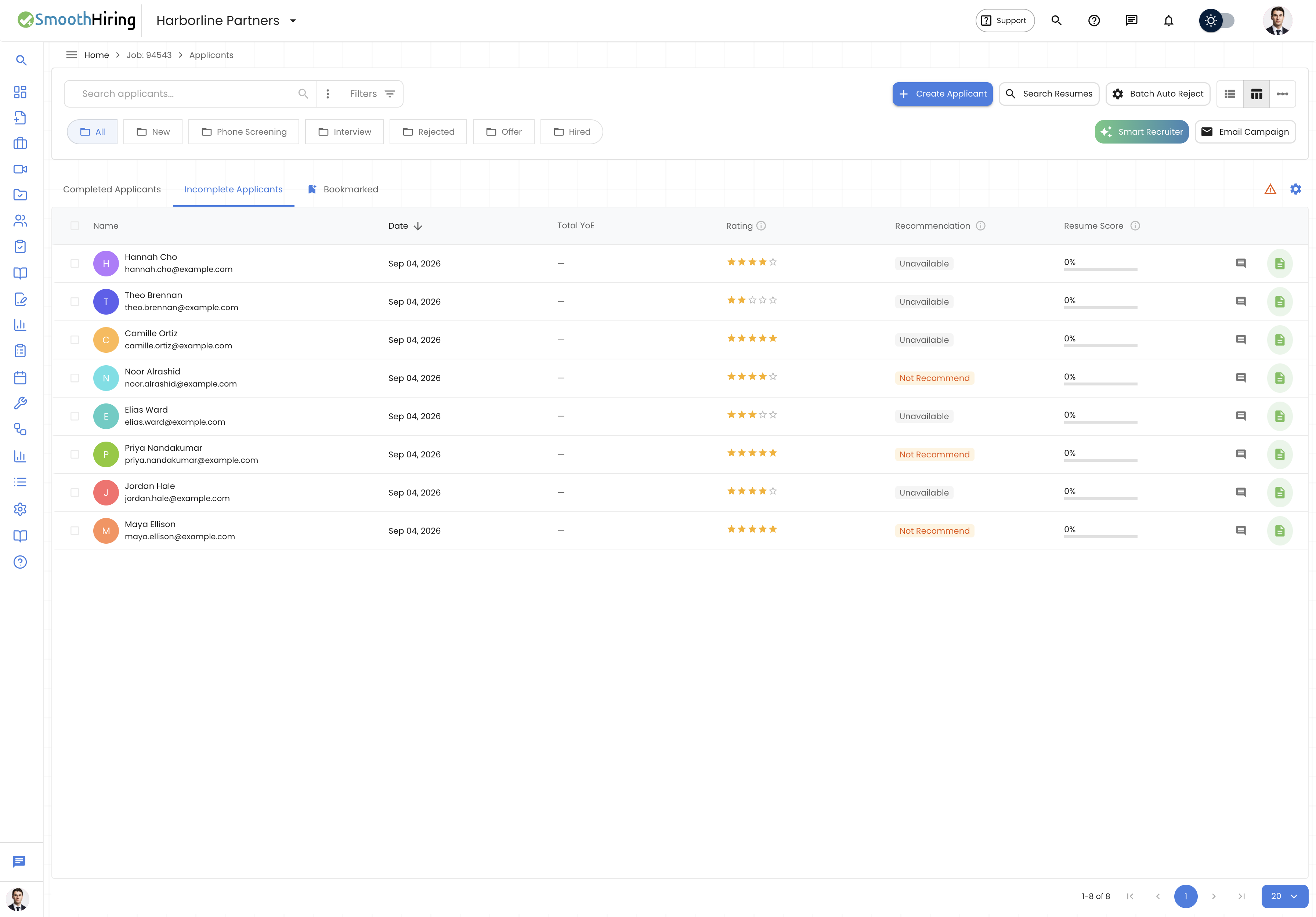
Smart Recruiter AI provides:
- Candidate-Job Fit Analysis — How well a candidate matches the role requirements
- Skills Gap Identification — What skills the candidate has vs. what the role needs
- Experience Relevance Scoring — How relevant the candidate's background is
- Cultural Alignment Assessment — Predicted fit with your organization's culture
- Risk Indicators — Potential concerns or red flags to investigate
- Interview Recommendations — Suggested questions and focus areas for interviews
- Comparative Ranking — How the candidate compares to others in the pipeline
How AI Analysis Works
The Analysis Process
When Smart Recruiter analyzes a candidate, it:
- Ingests candidate data — Resume, cover letter, assessment results, application responses
- Parses job requirements — Understands required skills, experience, and qualifications
- Cross-references — Compares candidate profile against job requirements
- Evaluates patterns — Identifies career trajectory, growth patterns, and stability
- Generates insights — Produces human-readable analysis with specific observations
- Assigns scores — Provides numerical scores across multiple dimensions
- Produces recommendations — Suggests next steps for the hiring team
What the AI Considers
| Data Source | Analysis Performed |
|---|---|
| Resume/CV | Skills extraction, experience mapping, career trajectory |
| Assessment results | Personality fit, cognitive ability, work style |
| Application responses | Communication quality, role understanding, motivation |
| Job description | Required vs. preferred qualifications matching |
| Culture profile | Values alignment, work style compatibility |
| Historical data | Patterns from successful hires in similar roles |
Running AI Analysis
Analyzing Individual Candidates
- Open a candidate's profile from the applicant pipeline
- Click the AI Analysis button (or Smart Recruiter icon)
- The Smart Recruiter Dialog opens
- Select the analysis type:
- Quick Analysis — Fast overview (uses fewer AI credits)
- Deep Analysis — Comprehensive evaluation (full credit usage)
- Click Run Analysis
- Results appear within seconds to a few minutes depending on depth
Batch Analysis
You can run AI analysis on multiple candidates simultaneously:
- Navigate to the job's applicant pipeline
- Select multiple candidates using checkboxes
- Click Actions → Run AI Analysis
- Choose analysis depth
- Confirm the batch operation
- Results are generated in the background and notifications are sent when complete
Automatic Analysis
Configure automatic analysis to run when:
- A new application is received
- Assessment results are completed
- A candidate moves to a specific pipeline stage
To set up automatic analysis:
- Go to Settings → Automation → AI Analysis Triggers
- Define when automatic analysis should run
- Set the analysis depth for automatic runs
- Save configuration
The AI Analysis Results Page
When analysis completes, results are presented in a comprehensive, easy-to-read format.
Overall Fit Score
At the top of the results, you'll see an Overall Fit Score (0-100) that represents the AI's assessment of how well the candidate matches the role. This score considers all available data points.
| Score Range | Interpretation |
|---|---|
| 85-100 | Excellent match — strong candidate for this role |
| 70-84 | Good match — well-qualified with minor gaps |
| 55-69 | Moderate match — has relevant qualities but notable gaps |
| 40-54 | Below average match — significant gaps to address |
| Below 40 | Poor match — likely not suitable for this role |
Dimension Breakdown
The analysis breaks down fit across multiple dimensions:
Skills Match
- Lists required skills found in the candidate's profile
- Identifies missing skills
- Rates proficiency levels where determinable
- Highlights transferable skills that could apply
Experience Relevance
- Evaluates years of relevant experience
- Assesses industry alignment
- Reviews role progression and career growth
- Notes any gaps or inconsistencies
Education & Credentials
- Matches educational requirements
- Identifies relevant certifications
- Notes continuing education and development
Cultural Alignment
- Compares work style indicators to your culture profile
- Identifies potential compatibility strengths
- Flags potential friction areas
Communication & Soft Skills
- Evaluates written communication quality
- Assesses apparent interpersonal skills
- Notes leadership or collaboration indicators
AI Narrative
Beyond scores and categories, Smart Recruiter generates a written narrative that:
- Summarizes the candidate's key strengths for this role
- Explains potential concerns with context
- Provides nuanced observations that numbers alone can't capture
- Reads like a brief from a human recruiter
Risk Indicators
The AI identifies potential concerns:
- Job hopping patterns — Frequent short tenures
- Overqualification — May not be engaged long-term
- Career regression — Moving to lower-level roles
- Skill decay — Relevant skills not used recently
- Location mismatch — Candidate location vs. job requirements
Important: Risk indicators are observations to investigate, not automatic disqualifiers. Always combine AI insights with human judgment.
Interview Recommendations
Smart Recruiter suggests:
- Focus areas — What topics to explore in the interview
- Suggested questions — Tailored questions based on gaps or concerns identified
- What to validate — Skills or claims that should be verified
- Positive signals to confirm — Strengths worth exploring further
Interpreting Results Effectively
Understanding Confidence Levels
Each analysis section includes a confidence indicator:
- High confidence — Plenty of data to support the assessment
- Medium confidence — Some data available, conclusions are reasonable but not definitive
- Low confidence — Limited data; take with appropriate caution
Contextual Factors
Keep in mind:
- AI analysis is most accurate when comprehensive data is available (resume + assessments + application responses)
- Results improve when your job description is detailed and specific
- The culture alignment section requires a completed culture calibration
- Historical hiring data improves recommendations over time
What AI Cannot Replace
Smart Recruiter is a tool to augment human decision-making, not replace it:
- It cannot assess interpersonal chemistry in interviews
- It may not capture unique circumstances (career breaks for valid reasons)
- It should never be the sole basis for rejecting a candidate
- Human judgment remains essential for final decisions
AI Analysis in the Pipeline View
Once analysis is complete, AI insights are integrated throughout the hiring workflow:
- Pipeline cards show the overall fit score as a badge
- Sort by AI score to surface top candidates quickly
- Filter by score range to focus on candidates above a threshold
- AI recommendations appear as tooltips on candidate cards
- Comparative view shows how candidates rank against each other
Managing AI Credits
Smart Recruiter AI analysis uses credits from your subscription plan.
Credit Usage
| Analysis Type | Credits Used |
|---|---|
| Quick Analysis | 1 credit |
| Deep Analysis | 3 credits |
| Batch Analysis | 1-3 credits per candidate |
| Automatic Analysis | As configured (quick or deep) |
Monitoring Credits
- Check remaining credits in Settings → Subscription → Feature Usage
- Set up notifications for low credit warnings
- Purchase additional credit packs if needed
Best Practices
- Write detailed job descriptions — The more specific your requirements, the more accurate the analysis
- Complete culture calibration — This dramatically improves cultural alignment scoring
- Use deep analysis for finalists — Save full credits for candidates who pass initial screening
- Combine with human review — Use AI as a first-pass filter, not the final decision
- Review AI narrative, not just scores — The written analysis often contains the most valuable insights
- Set up automatic analysis for high-volume roles to save time
- Use batch analysis when reviewing multiple candidates for the same role
- Don't ignore low-scoring candidates blindly — Review the narrative for context
- Provide feedback — If the AI analysis seems off, this helps improve future results
- Keep job descriptions updated — Stale descriptions lead to less relevant analysis
Privacy & Ethics
SmoothHiring's AI analysis is designed with ethical hiring in mind:
- No demographic bias — The AI does not consider age, gender, race, or other protected characteristics
- Explainable decisions — Every score comes with a rationale
- Human oversight required — AI scores are advisory, never automatic rejection criteria
- Data handling — Candidate data is processed securely and not shared externally
- Transparency — Candidates can be informed that AI tools are used in the evaluation process
Frequently Asked Questions
Q: How long does an AI analysis take? A: Quick analysis completes in 10-30 seconds. Deep analysis takes 1-3 minutes. Batch operations depend on the number of candidates.
Q: Can I re-run analysis if new information is available? A: Yes. If a candidate completes additional assessments or updates their profile, you can re-run the analysis for updated results.
Q: Is the AI score the same as the overall candidate ranking? A: No. The AI score is one component of the overall ranking. Other factors include assessment scores, interview ratings, and manual evaluations.
Q: Can candidates see their AI analysis? A: By default, AI analysis is visible only to the hiring team. It is not included in candidate-facing reports unless specifically configured.
Q: What if I disagree with the AI's assessment? A: Trust your judgment. The AI provides data-driven observations, but hiring decisions should always incorporate human insight. Your feedback helps improve the system.
Q: Does Smart Recruiter work for all job types? A: Yes, though accuracy is highest for roles where skills and experience can be clearly matched. Creative and executive roles may benefit more from the qualitative narrative than numerical scores.