

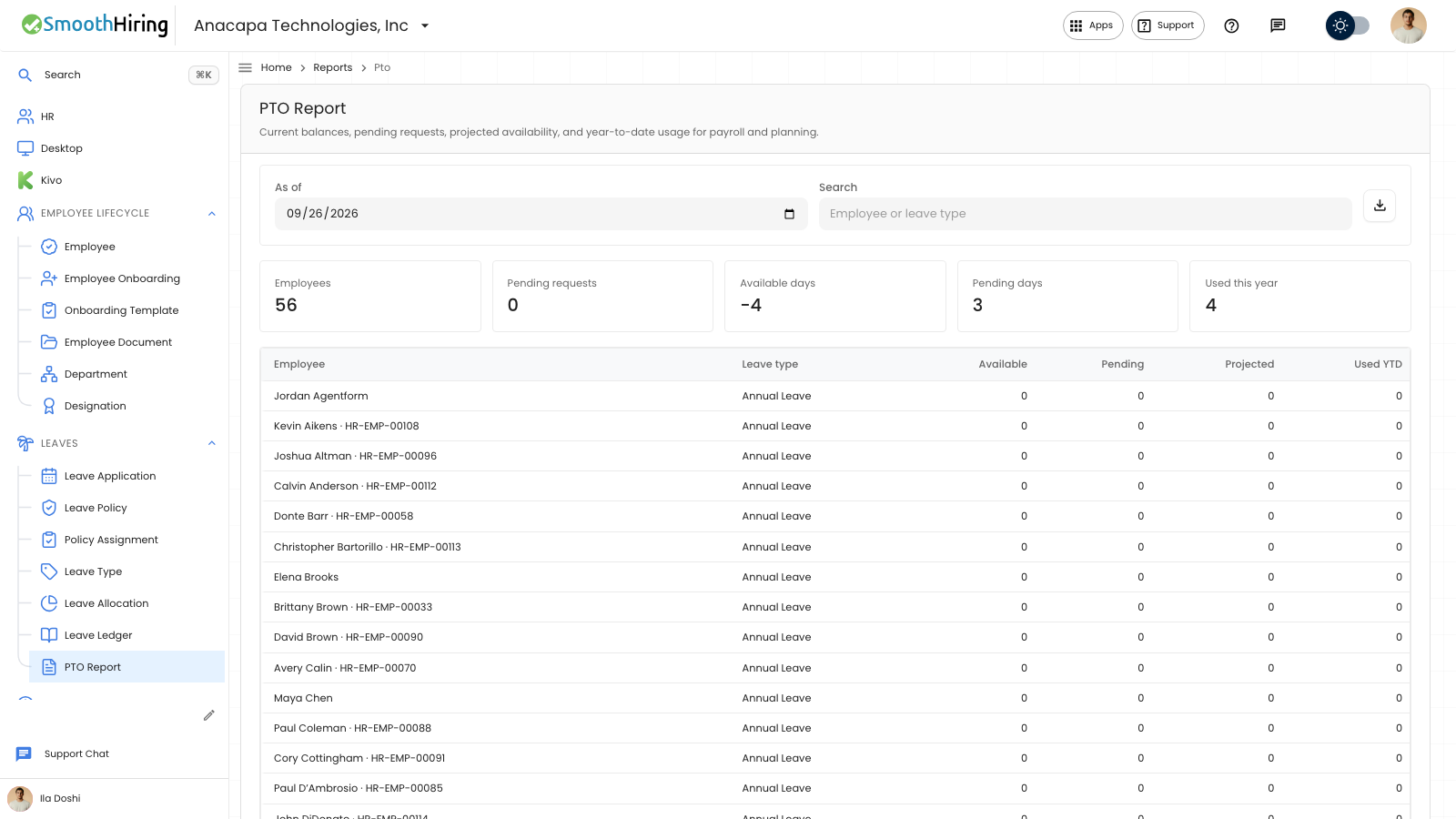
PTO Report is the time-off view for payroll and planning. Open Leaves, then PTO Report. The subtitle says the report is current balances, pending requests, projected availability, and year-to-date usage for payroll and planning.
It is also under Reports, in Time, with the same description.
Read the report
- Set As of. The report reloads for that date.
- Use Search. The placeholder is Employee or leave type.
- Read the totals: Employees, Pending requests, Available days, Pending days, and Used this year.
- Each row shows Employee, Leave type, Available, Pending, Projected, and Used YTD. The employee line includes the employee number when there is one. An unlimited type shows Unlimited in Available and Projected.
Available is the balance as of that date. Pending is time in requests that are still waiting. Projected is what would remain if those requests are approved. Used YTD is the time used since the start of the year.
Download it
Choose Download CSV. The tooltip is Download payroll-ready CSV. The file uses the As of date on the screen.
If something looks wrong
If nobody has a policy assignment or an allocation, the page says No PTO balances found and Assign a leave policy or allocate an opening balance to include employees in this report.
If the download fails, the notice is Could not download the PTO report. The table on the screen is unchanged.
A search with no matches shows the same empty page. Clear Search to see the full report again.
Next
Waiting requests behind the Pending requests total are listed in Pending requests.