

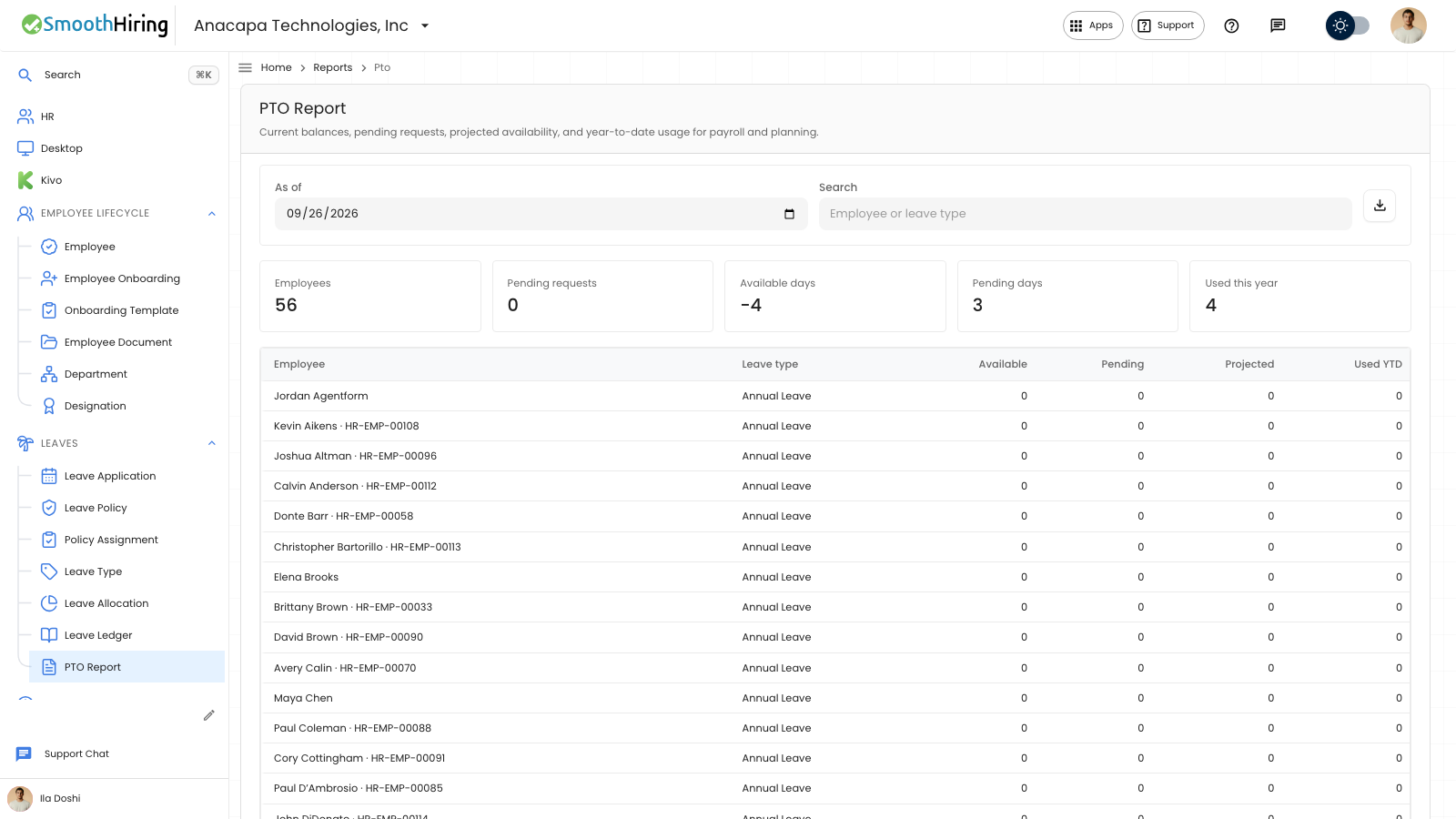
Projected is the time off that would remain if every waiting request is approved. Available does not drop until a request is approved. Pending days stay in the available balance and are subtracted only in the projected number.
On Time off
- Open Time off in the employee portal.
- Stay on Leave.
- Under Balances, a type with a waiting request shows the days left, then pending and projected days on the same line.
The page says Pending requests are not taken off your balance until they are approved.
When you fill in a request, the form says how many working days it uses, and how many days would be left if it is approved. That second number is the projected balance after this request.
An unlimited type does not show a projected day count. It shows Unlimited.
On PTO Report
- Open Leaves, then PTO Report.
- Set As of.
- Read Projected on the row for that person and leave type.
Pending on the same row is the waiting days. Available is the balance before those waiting days are removed. An unlimited type shows Unlimited in Projected.
The totals above the table include Pending days. They do not replace Available days with the projected figure.
If something looks wrong
Projected is lower than Available by the pending days. If they match, nothing is waiting for that type.
If the form says Insufficient leave balance and includes the days available after pending requests, the projected balance is not large enough for this request. Shorten the dates, or wait until the other request is denied or cancelled.
A request that is Approved is no longer pending. It has already moved from Available into Used, so it is not subtracted again in Projected.
Next
The full table is PTO report. How to read Available by itself is See a balance.