

A pending request is time off that has been sent and is still waiting for a decision. On Leave Application the status is Open. On the employee portal it is Pending. The days stay in the balance until the request is approved.
See them on Reports
- Open Reports.
- The top of the page includes Pending leave, the count of requests still waiting.
- Under Time, open Open Leave Requests. The description is Pending time-off applications awaiting approval.
You should land on Leave Applications showing requests whose Status is Open. Each of those rows offers Open, Approved, and Denied.
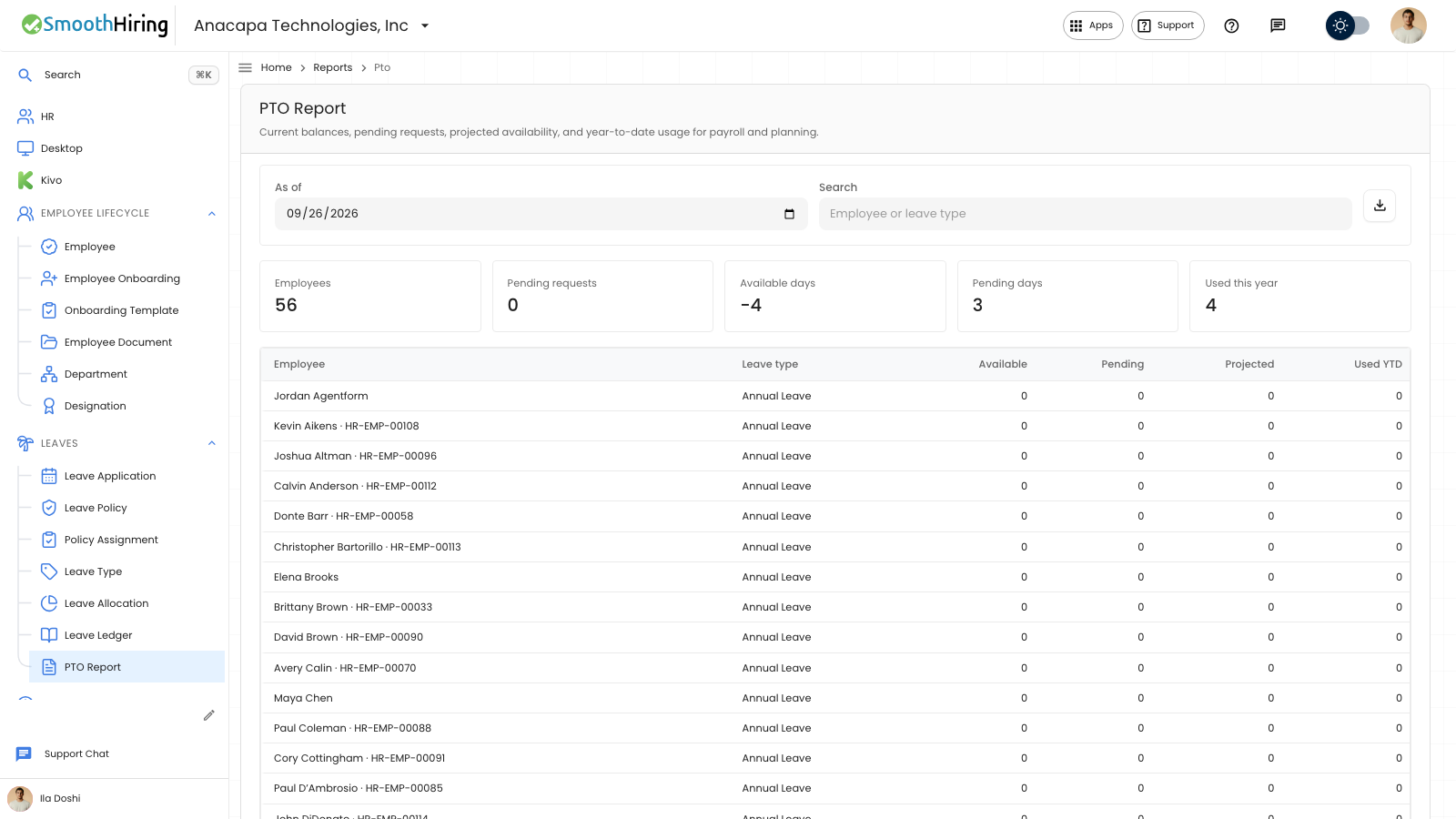
See them on PTO Report
Open Leaves, then PTO Report.
- Pending requests is the number of waiting requests.
- Pending days is the total days in those requests.
- Each row’s Pending column is the waiting days for that person and leave type.
See them on Approvals
A manager opens Approvals, then Leave. The tab includes a count when someone is waiting. Each row is a request for that manager. If nobody is waiting, the page says No leave waiting, with Time-off requests that need you will appear here.
The employee sees the same request under Your requests with status Pending.
If something looks wrong
An Approved, Rejected, or Cancelled row is not pending. It does not appear on Open Leave Requests, and it does not offer Approved and Denied.
If Pending requests is zero and Approvals says No leave waiting, nothing is waiting. A request the employee thinks they sent should be under Your requests. If that list says No time-off requests yet, the request was not saved.
Next
Decide a waiting request in Approve time off or Deny time off.