

Rest and overtime
Rest and weekly hours are warnings on the schedule. A week past the hour line is flagged before you publish. Hours closer than the rest line warn you. Neither one creates pay. Clocking in does not create pay.
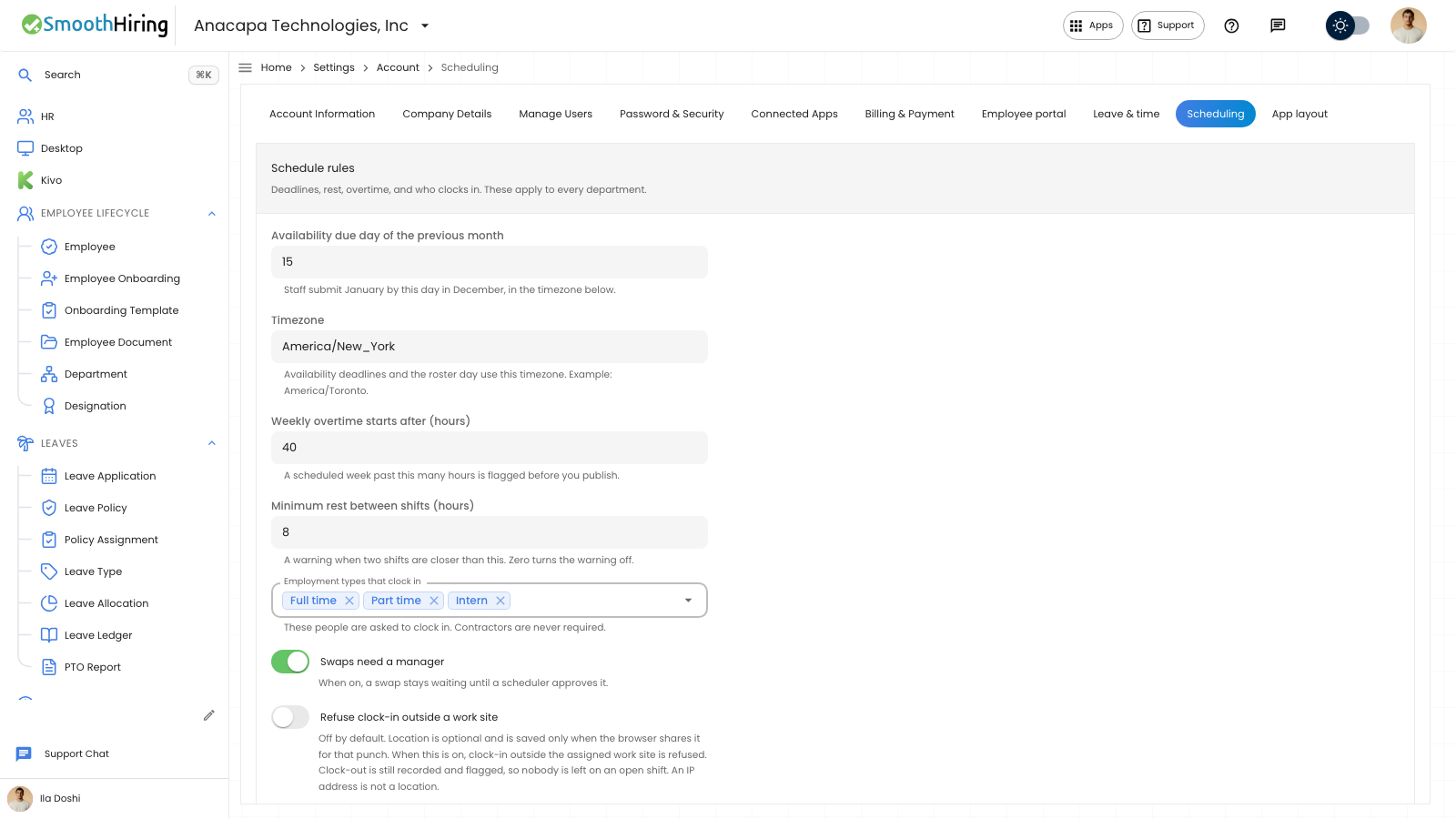
- Open Settings, then Scheduling.
- Under Schedule rules, set Weekly overtime starts after (hours). The note says a scheduled week past this many hours is flagged before you publish.
- Set Minimum rest between shifts (hours). The note says you get a warning when two shifts are closer than this. Zero turns the warning off.
- Choose Save rules.
On Suggest assignments, Allow hours over the weekly cap is a scheduling choice. That note says pay is not estimated.
What you should see
After Save rules, the confirmation says Scheduling settings saved. The same numbers stay on Schedule rules when you come back.
Before you publish, warnings can appear in the publish summary. They stay on the record if you publish after you have reviewed them. Blocking conflicts are separate and must be resolved first.
Shift Report shows an Overtime card labeled extra clocked hours. That number is from punches, not a pay calculation.
If something looks wrong
You expected a warning and none appeared. Rest warnings are off when Minimum rest between shifts (hours) is 0. Overtime flags a scheduled week, not a single shift under the weekly number.
Save rules saves the whole Schedule rules section, including the availability day, timezone, and who clocks in.