

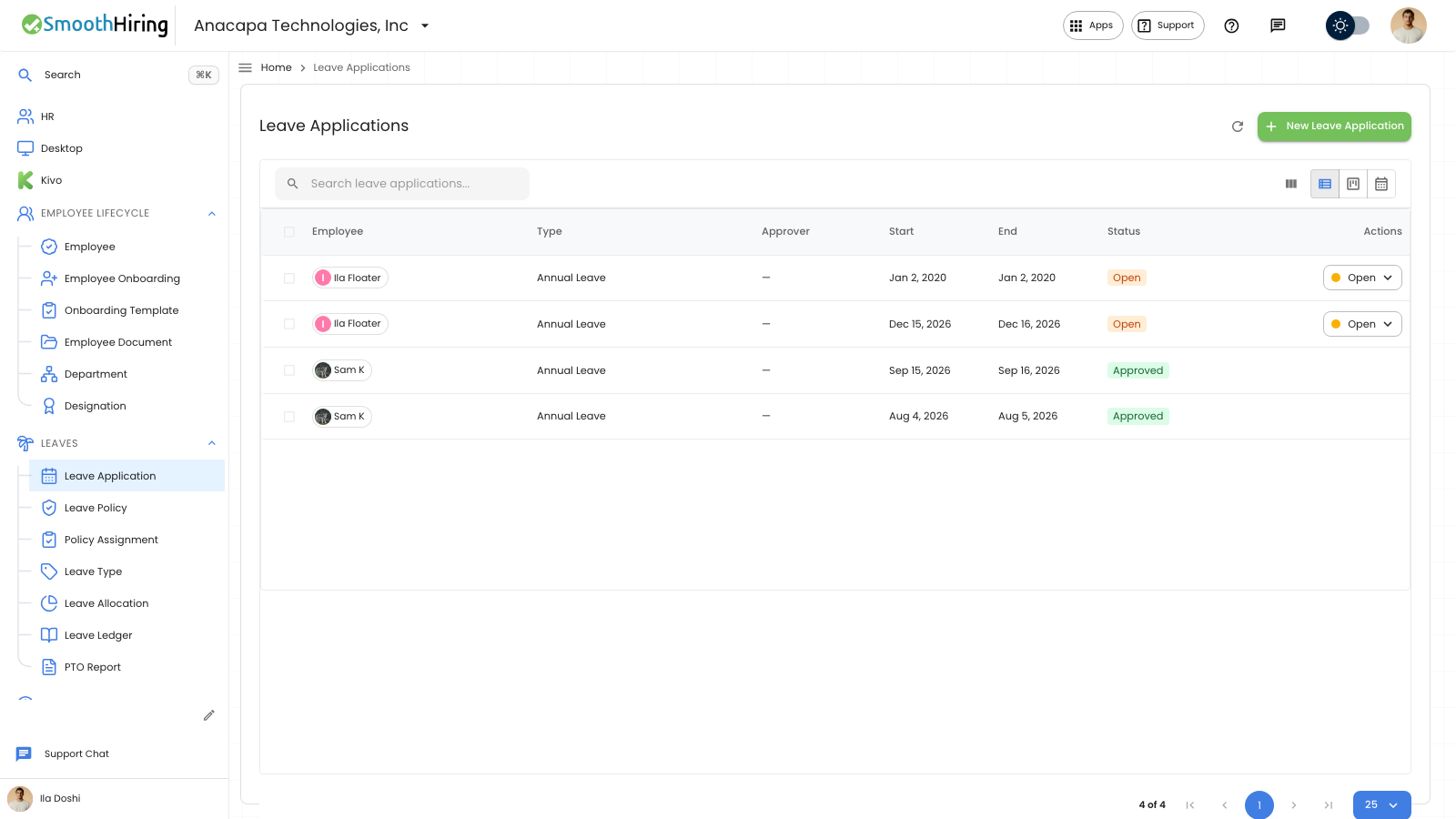
A waiting time-off request can be denied from Approvals or from the Leave Application list. The control is labeled Denied. After you confirm, the list status becomes Rejected, and the employee sees Denied.
Deny from the portal
- Open Approvals. The page says Requests waiting on you.
- Choose Leave.
- On the waiting request, the control shows Waiting, Approved, and Denied.
- Choose Denied.
You should see Leave rejected. The request leaves Approvals. On the employee’s Time off page, under Your requests, the status is Denied. There is no Cancel on a denied request.
If the dates say cancel request, the second choice is Keep leave. That keeps the time off that was already approved.
If nobody is waiting, the page says No leave waiting, with Time-off requests that need you will appear here.
Deny from Leave Application
- Open Leaves, then Leave Application.
- While Status is Open, the row shows Open, Approved, and Denied.
- Choose Denied.
- The dialog is Reject request, and it asks Reject this leave application?
- Confirm with Reject.
The row then shows Rejected.
If something looks wrong
On Leave Application, a failed decision says Could not reject this request. The status stays Open. A more specific message can appear instead:
- You cannot review your own time-off request.
- This leave request cannot move to that status.
- This leave has already been paid and cannot be changed.
On Approvals, a failed decision says Reject failed. The request stays on the list.
Denied only appears while the request is still waiting. An Approved, Rejected, or Cancelled row on Leave Application does not offer Open, Approved, and Denied.
Next
To allow the time, see Approve time off.