

No-shows and late punches
No-shows, late punches, and people who left early are on Shift Report. They describe attendance against the schedule. They are not payroll, and clocking in does not create pay.
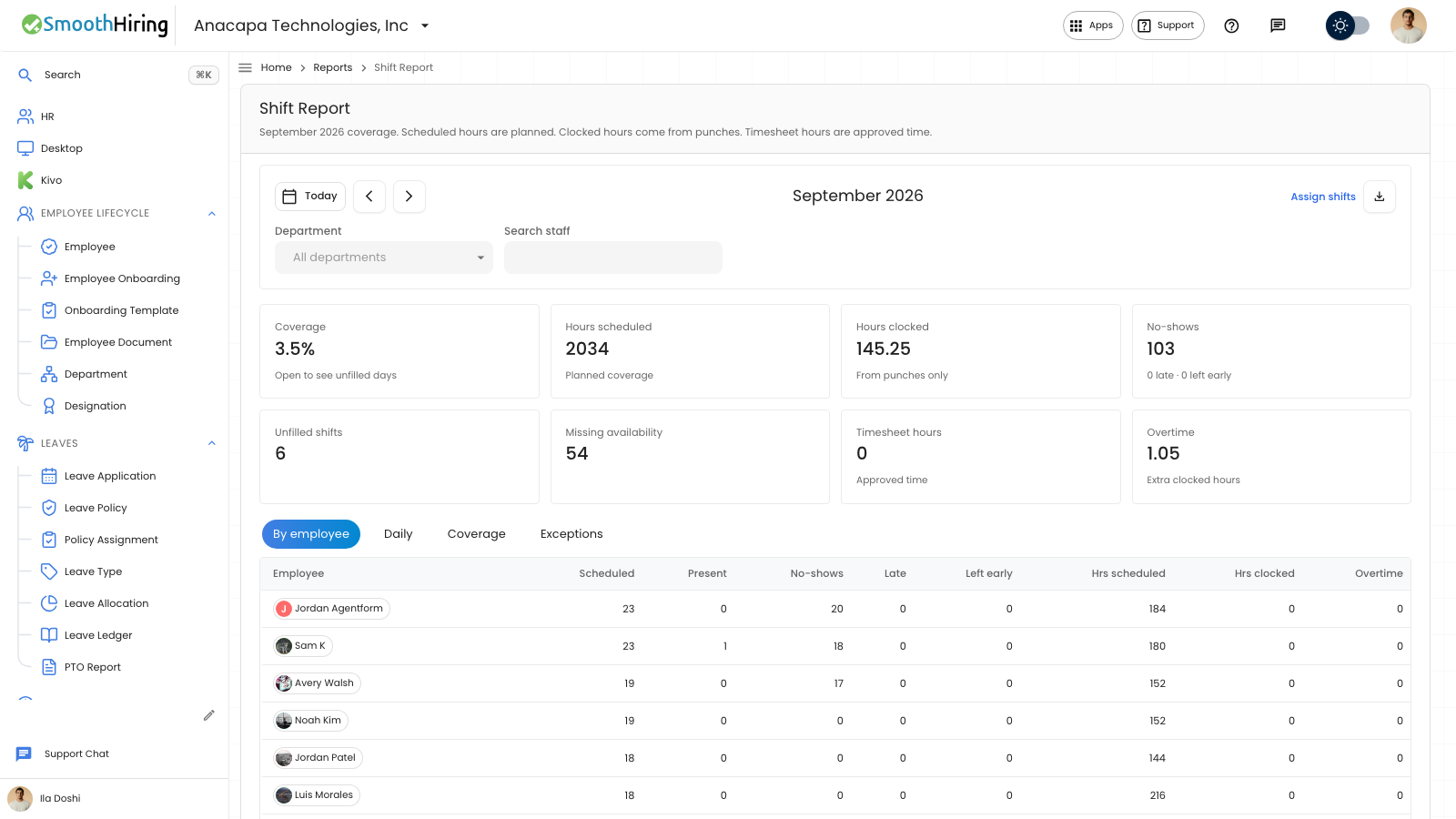
- Open Shift Report and move to the month.
- Read No-shows. The line under it counts late punches and people who left early.
- Choose No-shows to open the list titled No-shows, late arrivals, and early exits.
- Or open the Exceptions tab. Each row is No-show, Late, Left early, or Unfilled, with the date, person, shift, and detail.
- Choose Close when you opened the list from the card.
What you should see
A month with no problems shows 0 on No-shows, with 0 late and 0 left early. Exceptions then says No exceptions this month: no no-shows, late arrivals, early exits, or unfilled open shifts.
By employee and Daily also show no-shows, late, and left early for that person or date. Search staff limits those rows to the name you typed.
If something looks wrong
The list says Nothing to inspect. That metric has no matching rows for the filters. Clear Search staff and Department.
Someone you expected is missing because they have no scheduled day, no-show, late punch, or early exit this month. By employee hides people with none of those. Pick the month they worked, or clear the search.