

Launch a review cycle
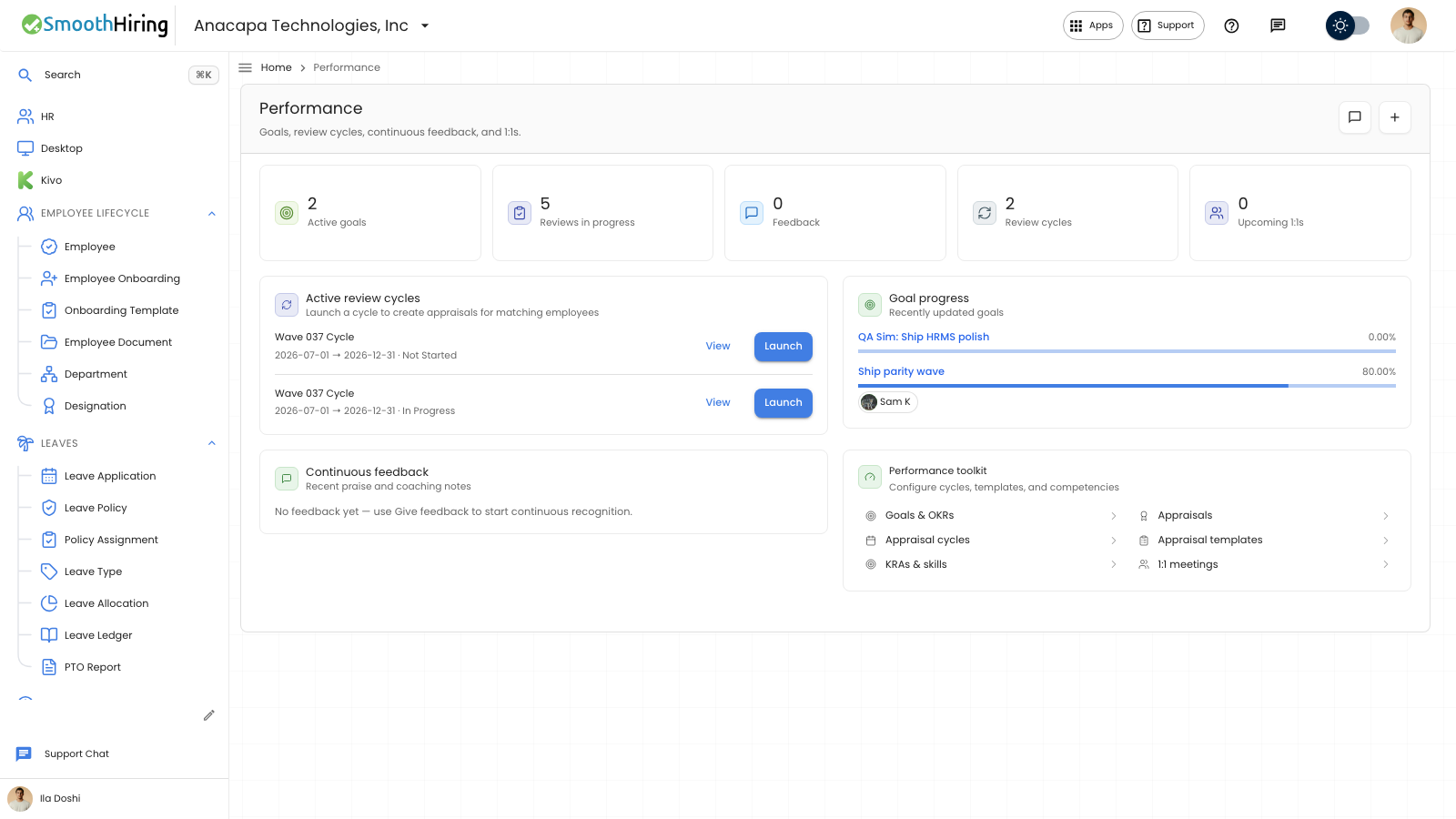
A review cycle is an Appraisal Cycle. Launching it creates appraisals for the people on that cycle. Open Performance Hub under Performance. The page title is Performance. The subtitle is “Goals, review cycles, continuous feedback, and 1:1s.”
- Under Active review cycles, click Create an appraisal cycle when the page says “No active cycles.”
- On New Appraisal Cycle, enter Cycle Name, Start Date, and End Date. Those are required. Description is optional.
- On the Overview tab, set KRA Evaluation Method to Automated Based on Goal Progress or Manual Rating if you use it. Status stays Not Started, In Progress, or Completed, and you cannot type it.
- Click Create Appraisal Cycle.
- On the saved cycle, open the Applicable For tab. Click Get Employees, then Create Appraisals.
- Return to Performance Hub. On that cycle, click Launch.
View on the hub opens the same cycle. Complete Cycle appears when Status is In Progress.
What you should see
Get Employees says “Fetching…” then “Fetched … employees.” Create Appraisals says “Launching…” then “Created … appraisals (… skipped).” Launch on the hub says Launched, the cycle name, how many appraisals were created, and how many were skipped. The Review cycles count on the hub includes the cycle.
The Employees table is labeled Appraisee. A row needs Employee and Appraisal Template.
If something looks wrong
Create Appraisal Cycle names Cycle Name, Start Date, or End Date when one is empty.
“Fetched … employees. Some designations need a default appraisal template.” Open the designation and set Default Appraisal Template, then click Get Employees again.
“Failed to launch cycle” or “Action failed” means no new appraisals were created. Open the cycle, confirm the Employees table has rows, and click Create Appraisals again.
Launch and Create Appraisals are hidden when Status is Completed.