

Availability deadline
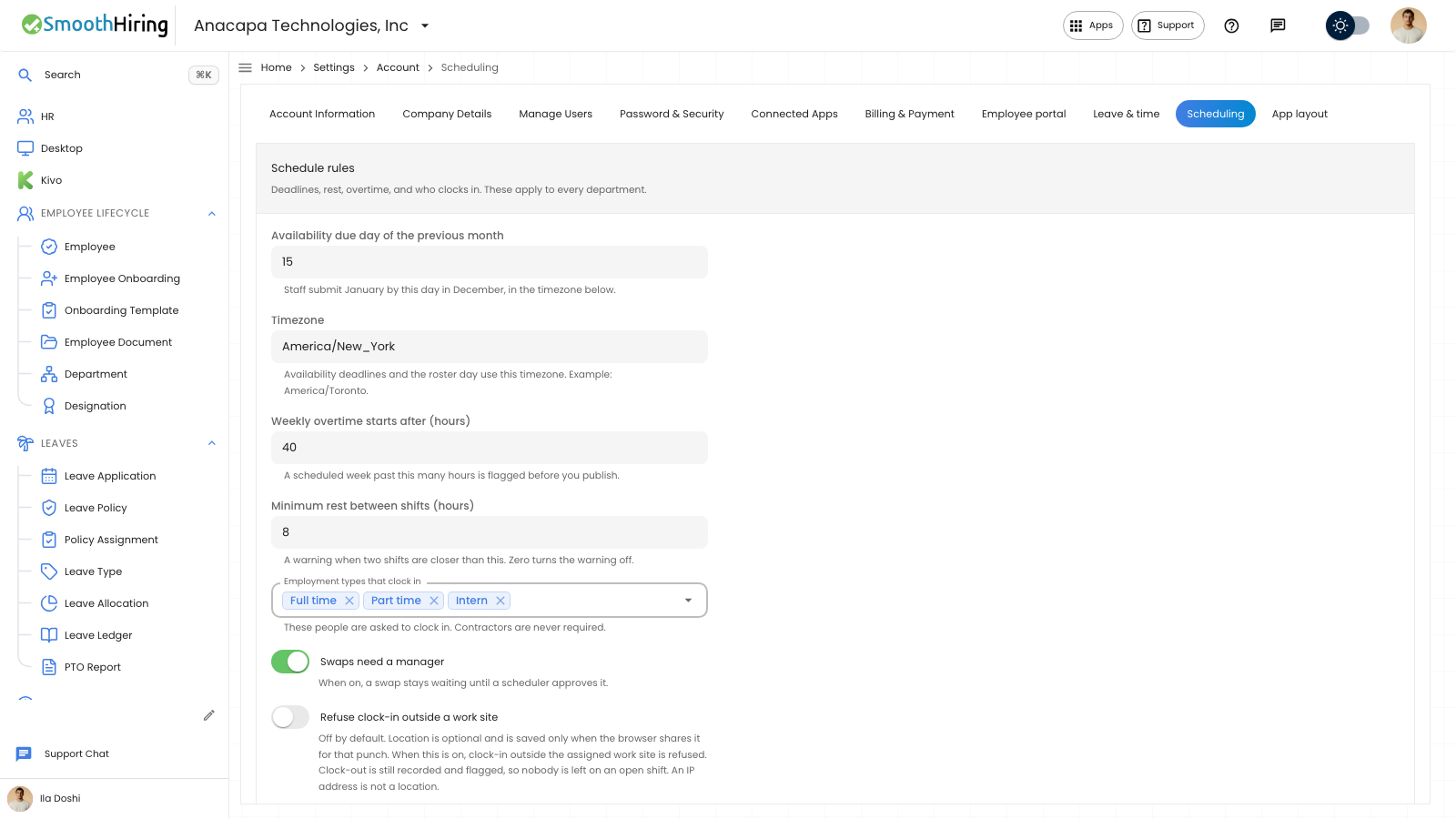
Someone who manages schedule rules sets the availability deadline. Staff submit the coming month by that day of the previous month. Publishing a schedule does not create pay.
- Open Settings, then Scheduling.
- In Schedule rules, set Availability due day of the previous month. The field says staff submit January by this day in December, in the timezone below.
- Set Timezone. The field says availability deadlines and the roster day use this timezone, with America/Toronto as the example.
- Choose Save rules.
What you should see
The confirmation says Scheduling settings saved.
On the employee’s Availability page, an open deadline reads Submit, then the month, then by the due date and time in that timezone. After the due time, the line reads that the month was due.
On the scheduler’s Availability page, the same due line appears. After it has passed, it adds: late submissions need a reopen.
If something looks wrong
The day is the day of the previous month, and the clock follows the timezone on this form. A day past 28 is stored as day 28.
A submitted month past the deadline locks. The employee sees: This month is locked. Ask a scheduler to reopen it if you need to make a change. See When a month is locked.
Save rules saves the deadline with the other fields in Schedule rules. Save email on Staff email is a different save.