
Short answer: The best applicant tracking system is the one that fits your hiring volume, your team and your budget. Define your needs first, rank features by priority, check integrations and AI claims, confirm compliance, then test two or three shortlisted platforms with a real job. Popular ATS options differ mainly by company size and hiring type.
Selecting the right Applicant Tracking System can transform your hiring from chaotic to structured but with so many ATS software options on the market, making the wrong choice is easy. A poor fit means paying for features you never use, or missing capabilities that would save your team hours every week.
This guide gives you a clear, step-by-step framework to evaluate, shortlist, and choose the right ATS for your business, followed by a comparison of top applicant tracking systems by business type. It also highlights the core features of ATS you should prioritize during evaluation.
What is an applicant tracking system — and do you actually need one?
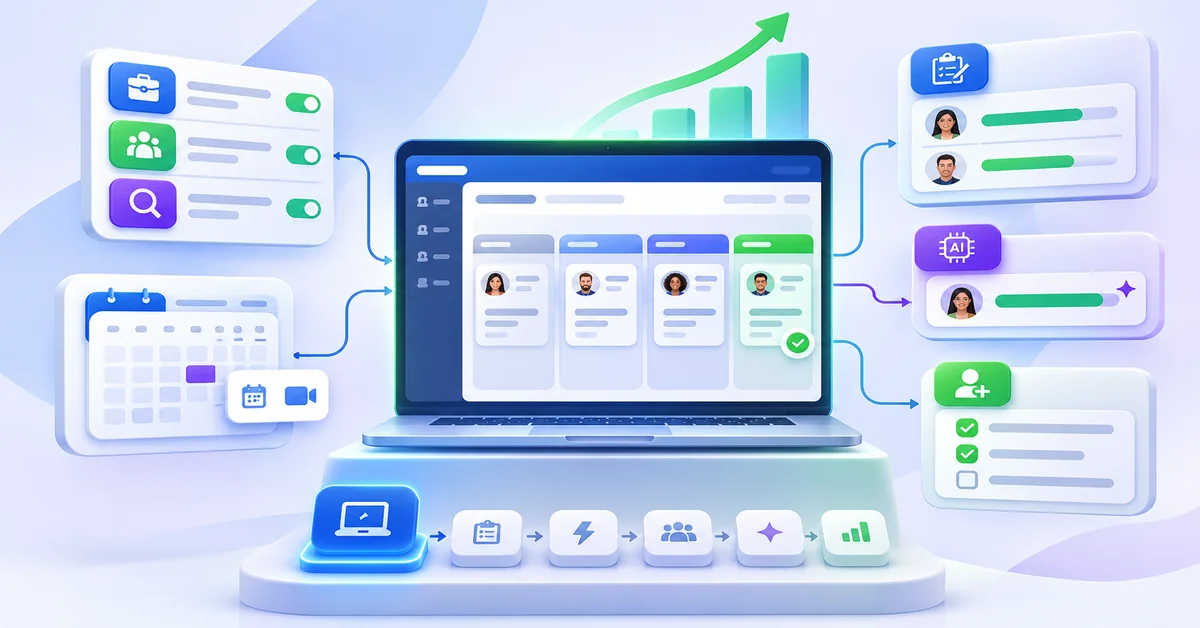
An applicant tracking system (ATS) is software, often referred to as ATS Software, that manages your entire hiring pipeline in one place from posting jobs to multiple boards, collecting and organising applications, screening and scoring candidates, scheduling interviews, and sending offer letters. It replaces the spreadsheets, email chains, and disconnected tools that most teams use when they are hiring without a dedicated system.
Here is a simple rule of thumb: if you receive more than 20 applications per role, or if you are running more than 2 open positions at a time, manual hiring management starts costing you real money in missed candidates, slow decisions, and recruiter time. An ATS pays for itself quickly by reducing time-to-hire and improving the quality of who you actually bring through the door.
Step 1: Define your actual hiring needs before you look at any software
Most businesses choose an ATS by browsing a comparison site and picking whatever has the highest review score. This is how you end up overpaying for enterprise features you never use, or locked into a platform that cannot handle your actual workflow.
Before you open a single product page, answer these four questions:
How many roles do you fill per year?
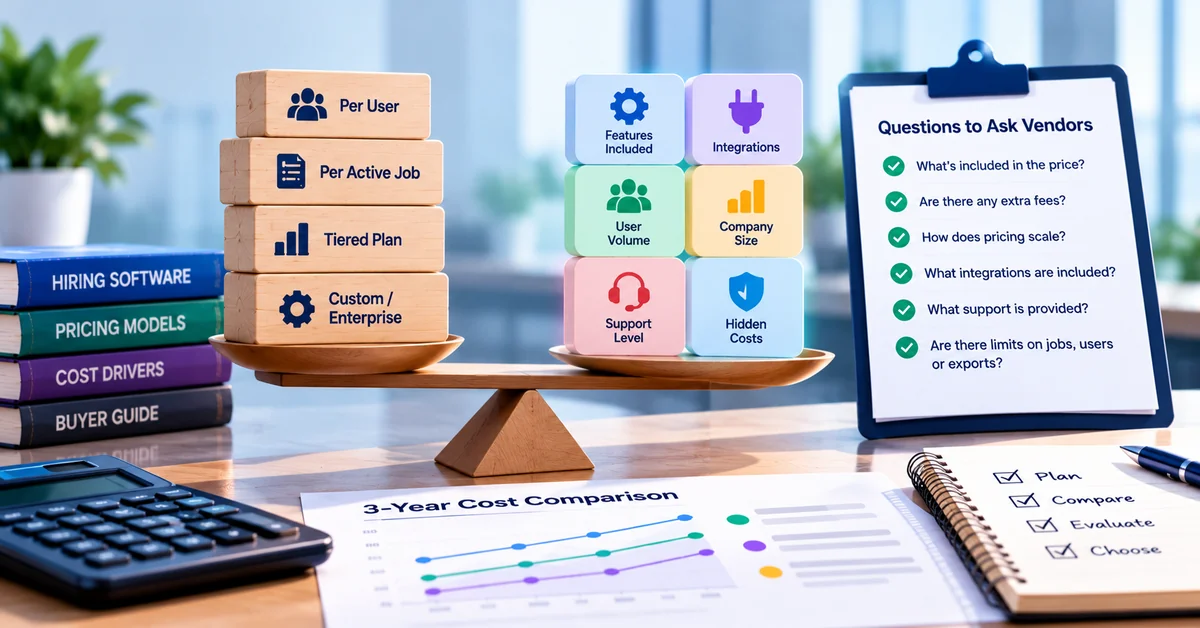
Hiring volume decides which pricing model fits. Vendors charge per user, per active job, by tiered plan or by custom quote, and the cheapest option at 5 hires a year is rarely the cheapest at 50. Our guide to ATS and hiring software pricing explains each model. Volume also shapes the type of system you need; see the types of applicant tracking systems.
What is your team size and who will use the ATS?
A solo HR manager has very different needs from a team of five recruiters with dedicated hiring managers in each department. Consider: who posts jobs, who reviews candidates, who schedules interviews, and who makes the final hiring decision. The best ATS fits how your team actually works — not an idealised workflow.
What roles are you primarily filling?
Technical roles, hourly workers, senior professionals, and high-volume entry-level positions each need different screening approaches. A software company hiring engineers needs different filtering capabilities than a restaurant group hiring servers. Make sure the ATS you choose has features relevant to your specific candidate profile.
What does your current process look like and where does it break down?
Identify your actual bottlenecks. Are you losing good candidates because you respond too slowly? Are you wasting hours reviewing unqualified applications? Are interview no-shows a problem? The right ATS solves your specific pain points — not a generic list of ‘hiring challenges.’
Step 2: Rank ATS features by priority
Every ATS vendor and ats software provider will show you a features list that makes their platform look essential and comprehensive. Here is an honest breakdown of what matters, what is nice to have, and what is marketing fluff. For a deeper look at each feature, see our guide to applicant tracking system features.
Step 3: Check integrations with your existing tools
An ats platform that does not connect to your existing HR stack creates more admin work, not less. Before shortlisting any platform, make a list of every tool your team currently uses in the hiring process and verify that the ATS integrates with each one.
The integrations that matter most for SMBs •Job boards — Does it post directly to Indeed, LinkedIn, and ZipRecruiter? Which boards are free vs paid extra? •Calendar — Google Calendar and Outlook sync for interview scheduling. Without this, scheduling coordination is manual. •HRIS / payroll — If you use BambooHR, Rippling, Gusto, or similar, does the ATS pass new hire data directly in? •Background check — Checkr and Sterling integrate with most mid-tier ATS platforms. Confirm before assuming. •Video interview tools — Zoom, Teams, or native video assessment capability. Essential if you hire remotely. •E-signature — For offer letters. DocuSign or native e-sign avoids emailing PDFs back and forth.
Step 4: Evaluate AI features carefully
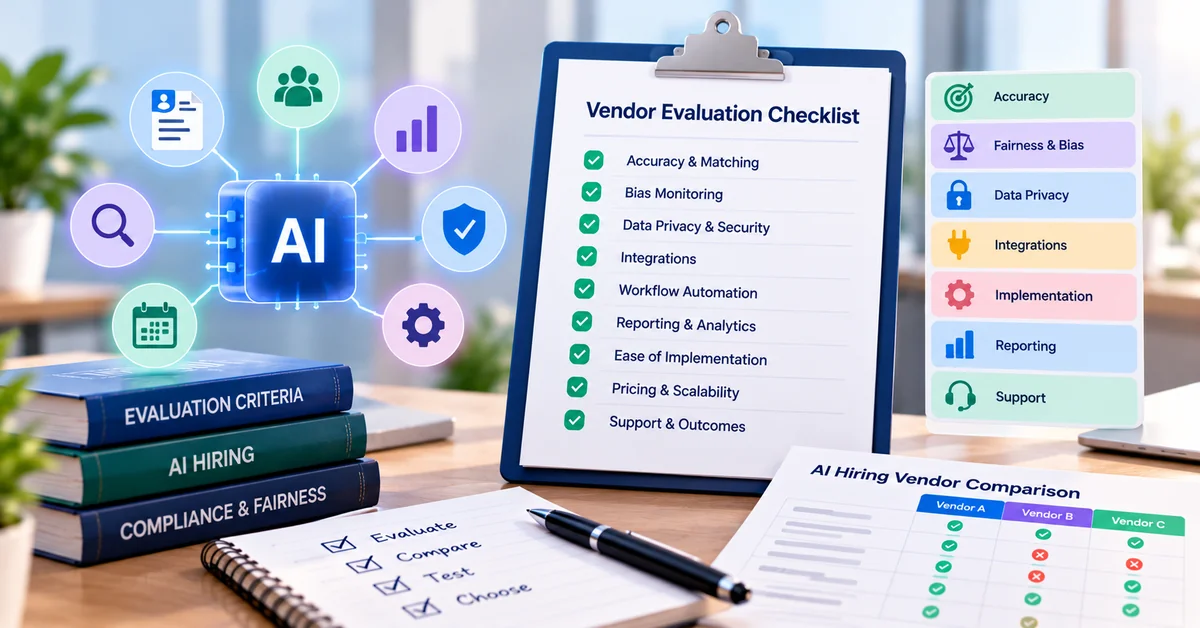
Every ATS in 2026 claims to use AI. Most of this is keyword matching dressed up with a different label. When evaluating ats software, use the points below to separate real AI value from marketing noise:
AI that genuinely saves time
Resume screening and ranking that goes beyond keyword matching — using job context, role requirements, and candidate history together. Interview scheduling automation that handles back-and-forth without human intervention. Job description generation that creates accurate, inclusive postings from a role title and a few inputs.
AI that actually predicts quality of hire
This is the rarest category. SmoothHiring’s patented psychometric assessment is one example: it evaluates it evaluates candidates against 16 personality and cognitive traits benchmarked against your existing top performers, predicting which applicants are most likely to succeed in the specific role before they ever reach an interview. This is meaningfully different from resume ranking.
AI that is mostly hype in 2026
Broad ‘culture fit’ scores based on unverifiable data. Facial analysis in video interviews — legally risky in many jurisdictions and scientifically contested. ‘Predictive retention’ tools with no clear methodology. If a vendor cannot explain clearly how their AI makes a specific decision, treat it as a feature to ignore rather than a reason to buy.
Step 5: Check accessibility, compliance, and mobile compatibility
This step gets skipped more often than any other — and it tends to cause problems 6 months after implementation. Three things to verify before signing:
In the US, also check how the ATS supports EEO record-keeping and how long it retains applicant data, and whether its AI features meet local rules on automated hiring tools. Our guide to auditing hiring tools for fairness covers the AI side.
Data privacy and GDPR / CCPA compliance
If you hire in the EU or California, your ATS must handle candidate data in compliance with GDPR and CCPA respectively. This means clear data retention policies, the ability to delete candidate records on request, and documented data processing agreements. Most enterprise platforms handle this; some budget tools do not. Confirm before you store a single resume.
Mobile compatibility for candidates and recruiters
In 2026, over 60% of job applications are submitted from mobile devices. If your ATS application portal is not mobile-optimised, you are losing a significant portion of your candidate pool before they even submit. Equally, hiring managers need to review and advance candidates from their phones when they are not at a desk. Test both interfaces on mobile before committing.
Step 6: Run your actual workflow through the free trial before you decide
Most ATS vendors offer a free trial or a live demo. Use it, but use it properly. The most common mistake is watching a vendor-led demo of their best-case scenarios. That tells you nothing about how the platform performs in your actual workflow.
During your trial or demo, do these four things:
- Post a real, current job description and observe the entire distribution process. Count how many boards it actually reaches and how long it takes.
- Feed in 10 real resumes you have previously reviewed. Compare the platform’s ranking of those candidates against your own assessment. This is the fastest way to evaluate screening quality.
- Simulate a full hiring cycle — post, review applicants, advance two to interview, send a rejection to one. Note how many clicks and screens each action takes. Friction adds up.
- Call customer support once during the trial. How quickly do they respond? Is the person helpful? Support quality is one of the strongest predictors of long-term satisfaction with any SaaS tool.
| Question to ask the vendor | Why it matters |
| What is the total cost in year one, including setup, training and any implementation fees? | Vendors often quote base subscription but not onboarding, training, or per-user add-ons. Year-one cost is often 30–50% higher than the advertised starting price. |
| Which job boards are included vs which require additional spend? | ‘200+ boards’ often means 10 premium boards and 190 obscure niche sites. Confirm that Indeed, LinkedIn, and ZipRecruiter are covered without extra charges. |
| How long does typical setup take, and what support is provided during onboarding? | A platform that takes 3 months to implement will cost you more in lost productivity than almost any price difference. Ask for typical setup timelines from similarly sized customers. |
| Can I see a case study from a company the same size as mine, in the same industry? | Generic testimonials mean nothing. A real case study from an SMB in your sector tells you whether the platform solves your specific hiring profile. |
| What happens to my candidate data if I cancel? | You should be able to export all your candidate data in a usable format (CSV, JSON) at any time. If a vendor is vague about this, they are making it hard to leave on purpose. |
| Is there a dedicated account manager, and what does ongoing support look like? | SmoothHiring includes a dedicated account manager on all plans. Most monthly-subscription platforms at lower tiers route you through a helpdesk only. |
| How often is the platform updated, and how are new features communicated? | Frequent meaningful updates signal a healthy product roadmap. Ask to see their changelog or product update history for the past 12 months. |
Red flags to watch for during your ATS evaluation
- No free trial or demo — if a vendor will not let you try before you buy, assume the product will disappoint on contact with reality
- Annual contracts with no cancellation clause — legitimate platforms at the SMB level should offer monthly billing or at worst a 30-day cancellation period
- Setup fees over $500 for a sub-$200/month platform — disproportionate setup costs are a margin play, not genuine onboarding support
- Vague pricing that requires a sales call to learn — transparent pricing is a signal of a product confident enough in its value to be honest
- Customer reviews mentioning poor data migration or lost candidate records — this is catastrophic and very hard to fix once it happens
- No named support contact — anonymous helpdesk-only support means slow responses during your most time-sensitive hiring moments
Why SmoothHiring is the top-rated ATS for small and medium businesses
Why SmoothHiring is the top-rated ATS for small and medium businesses
Based on the framework above, SmoothHiring consistently comes out ahead for SMBs on the criteria that matter most among ats platforms: cost efficiency, AI screening quality, job board reach, and ease of use without a dedicated HR team.
- Pay-per-post pricing — no monthly fee between hires. Pay only when you are actively recruiting.
- 200+ job boards in one click — including Indeed, LinkedIn, ZipRecruiter, Monster, and CareerBuilder, with a smart budget algorithm that adjusts spend in real time
- Patented psychometric assessment — the only SMB platform that predicts candidate job-fit using behavioural science before the interview stage
- AI resume screening and ranking — automatically scores and ranks every applicant so you start with a shortlist, not a pile
- Video assessments — pre-screen candidates with structured video responses before committing to live interviews
- Full ATS pipeline, interview scheduling, offer management, and onboarding — one platform from first application to first day
- Dedicated account manager included — not routed through a helpdesk
- 14-day free trial, no credit card required
Try SmoothHiring free: Start your 14-day free trial at smoothhiring. Post your first job in under 5 minutes and see the AI candidate screening in action before you commit to anything.
Conclusion: Choosing the best ATS for your business
The right ATS is the one that fits how your business actually hires — not the one with the most features, the highest review average, or the biggest marketing budget. Use this applicant tracking system checklist as your guide:
- Define your hiring volume and frequency — this determines your pricing model
- Identify your top three pain points in your current hiring process — your ATS should directly address all three
- Shortlist 2–3 platforms that match your price range and hiring profile