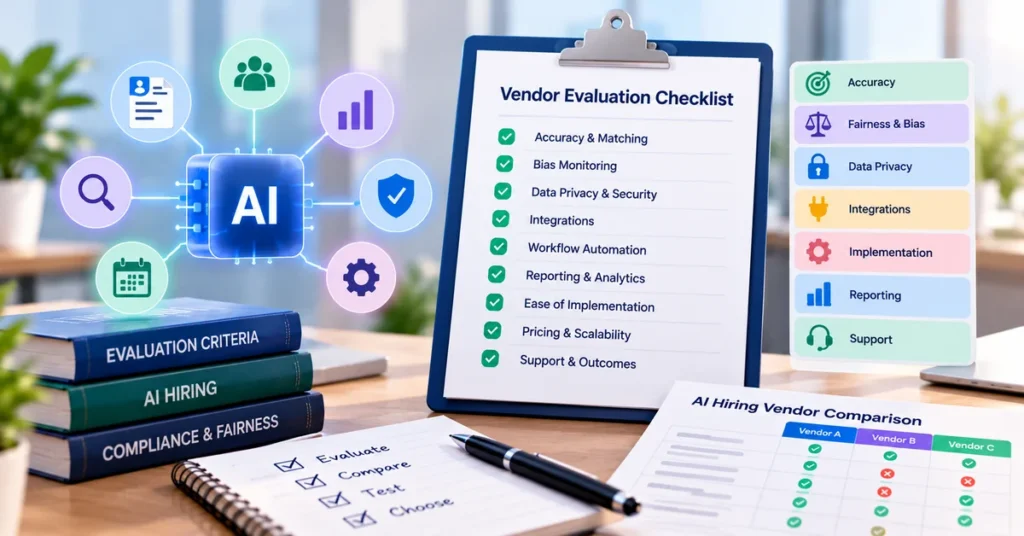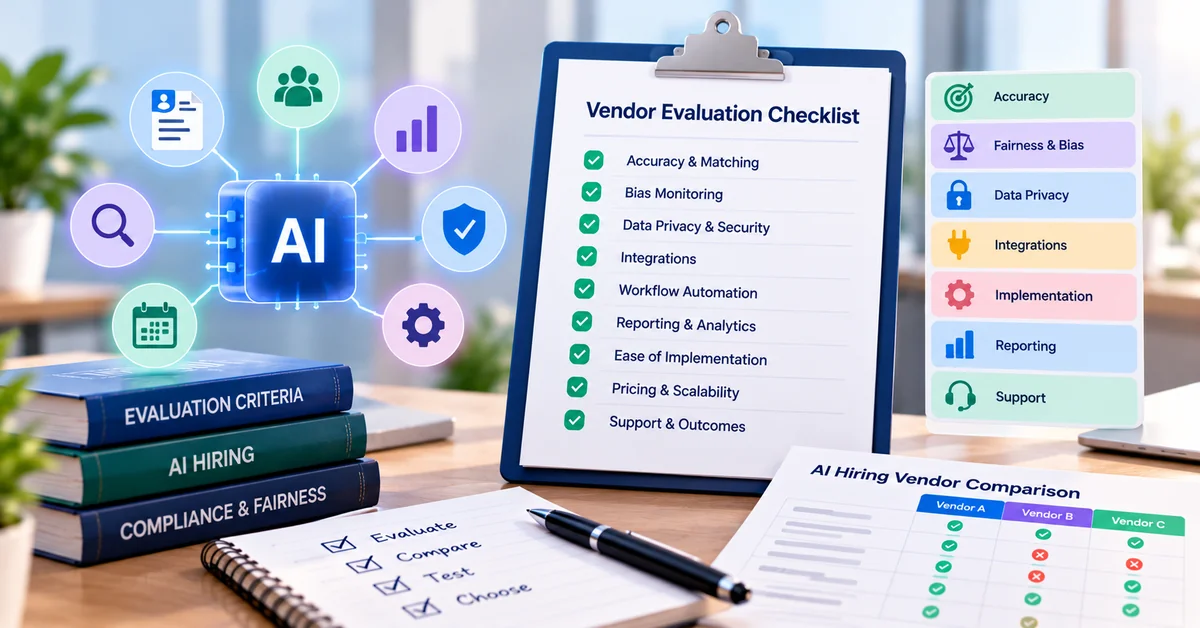
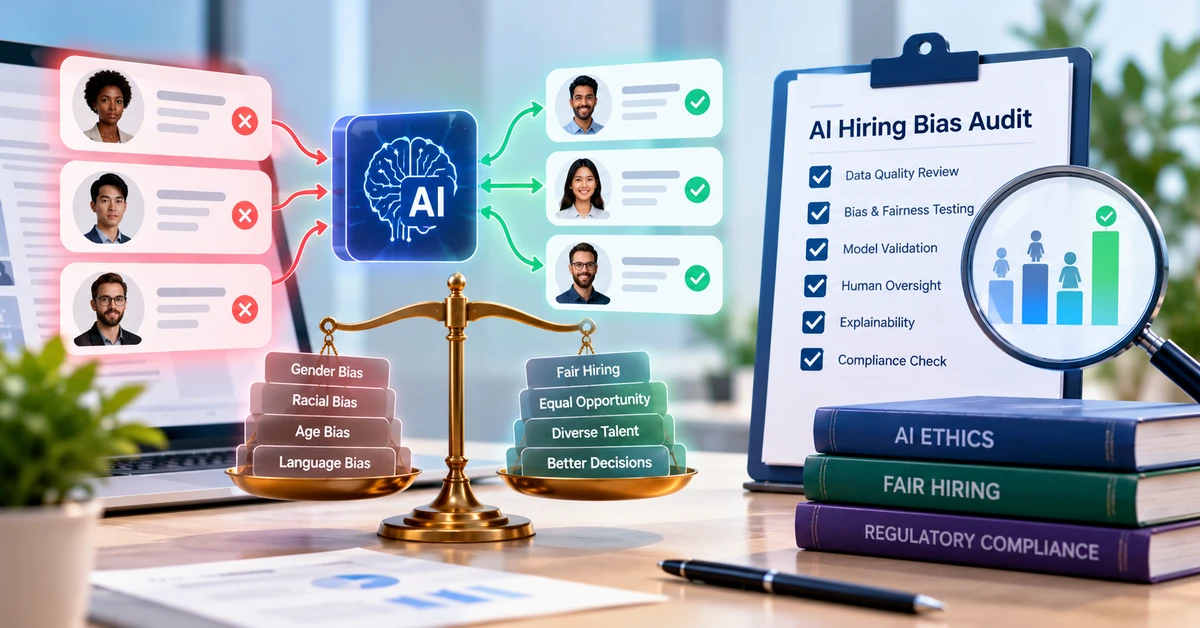

Most AI hiring demos look alike: a clean dashboard, a ranked list of candidates and a promise to save hours. The differences show up later, when a qualified applicant is screened out and nobody can say why, or when a candidate asks what data you hold about them. This AI hiring platform evaluation checklist gives you 12 questions to put to any vendor before you sign, what a strong answer looks like, and the warning signs to watch for.
It is written for HR managers, recruiters and owners at small and mid-sized US companies. You do not need a data science background. You need the right questions and the habit of asking for answers in writing.
Quick answers
Ask for evidence, not adjectives. “Accurate,” “unbiased” and “secure” mean little without a method, a date and a document.
Treat three areas as pass or fail: bias monitoring, data privacy and security, and human oversight. A weak answer on any of them should end the evaluation.
Test claims on your own past applicants before you buy.
You stay accountable. In the US, an employer remains responsible for hiring decisions made with software.
Why the evaluation matters in the US
Responsibility does not transfer to the vendor when you switch on a tool. In 2023 the EEOC settled a case against iTutorGroup, which it had alleged used software that automatically rejected older applicants (Duane Morris summary). In May 2025 a federal court allowed age discrimination claims against an HR software vendor to proceed as a collective action in Mobley v. Workday (Holland & Knight summary). Check the case’s current status before you rely on it.
Rules are also growing at the state and city level. New York City’s Local Law 144 requires a bias audit and candidate notice for covered automated employment decision tools. Illinois amended its Human Rights Act to address discriminatory AI use in employment, effective January 1, 2026 (Illinois State Bar Association). Colorado replaced its 2024 AI Act with SB 26-189 in May 2026, with a January 1, 2027 effective date, according to a law-firm summary (Eckert Seamans). Ask counsel which rules apply to you. This article is general information, not legal advice.
How to use this checklist
Questions to AI Hiring Vendors
1. Matching accuracy
Questions to AI Hiring Vendors
1. Matching accuracy
Ask: How do you measure how well your matching works, and can we test it on our own past applicants?
Why it matters: Match scores decide which candidates a recruiter sees first. Accuracy varies by role, data and how the job criteria are written.
A strong answer includes: an explanation of what the score is built from, which roles and data were used to validate it, and an offer to run a pilot on your applicants and compare results with your recruiters’ own rankings.
Warning signs: a single headline accuracy figure with no method, “proprietary” as the whole answer, or no way to test on your data.
For a closer look at how scoring works, read how AI candidate matching scores a resume.
2. Resume screening and parsing
Ask: Which file formats and layouts can the parser read, and what happens when it fails?
Why it matters: Parsing errors can drop qualified people without anyone noticing.
A strong answer includes: a list of supported formats, parsed fields you can inspect on your own sample resumes, a queue for unreadable or low-confidence resumes, and rules you control. Nothing is rejected without your criteria.
Warning signs: automatic rejection by default, no view of unparsed resumes, or plain keyword matching described as AI.
See how AI resume screening works and where it fails for common failure points.
3. Transparency and explainability
Ask: Can a recruiter see why a candidate was ranked where they were?
Why it matters: If you cannot explain a decision, you cannot defend it to a candidate, a hiring manager or a regulator.
A strong answer includes: plain-language reasons for each ranking, documentation of the tool’s intended use, and logs of the criteria applied.
Warning signs: a score with no reasons, or “trade secret” given as the answer to every question.
4. Bias monitoring and fairness
Ask: What bias testing do you do, how often, and can we see the results?
Why it matters: Automated screening can reproduce patterns in past data at scale. Some jurisdictions require audits, and you carry the legal exposure either way.
A strong answer includes: an independent audit summary with its date and scope, adverse impact monitoring by stage, a described method, reports you can access as a customer, and a plain statement of what the tool does not do. A common check is the four-fifths rule from the federal Uniform Guidelines. It is a rule of thumb, not a legal safe harbor.
Warning signs: promises that the AI “removes bias” with no evidence, no audit, or a refusal to share methodology. No vendor can credibly guarantee bias-free outcomes.
Our guide to auditing hiring tools for fairness goes deeper on this area.
5. Data privacy and security
Ask: What candidate data do you collect, where is it stored, who can access it, and is it used to train models?
Why it matters: Applicant records contain personal information. State privacy laws, such as California’s CCPA, can apply to it.
A strong answer includes: data processing terms, retention and deletion on request, encryption in transit and at rest, role-based access, a subprocessor list, an option to exclude your data from model training, and an incident response plan. A SOC 2 Type II report covers how security controls operated over a review period. A Type I report covers their design at one point in time.
Warning signs: vague claims such as “bank-level security,” a SOC 2 report that is “in progress” with no date, or training on your candidates’ data by default.
6. HR-system integration
Ask: Which systems do you integrate with natively, and does data sync both ways?
Why it matters: Manual re-entry creates errors and wastes the time you bought the tool to save.
A strong answer includes: a list of integrations with calendars, email, job boards, HR systems and background checks, a live demonstration with test data, API documentation, and data export.
7. Workflow automation
Ask: What can be automated, and where does a person step in?
Why it matters: Automation saves time on routine steps. Without checkpoints it can also repeat mistakes faster.
A strong answer includes: configurable triggers for stage moves, emails, scheduling and knockout questions, manual override at every step, an audit log, and the ability to switch any automation off.
Warning signs: automated rejections you cannot review, or all-or-nothing settings.
Our guide on what to automate first in recruiting helps you sequence this.
8. Candidate experience
Ask: What does the candidate see, and how are they told that AI is involved?
Why it matters: Candidates drop out of slow, confusing or opaque processes, and some laws require notice.
A strong answer includes: a mobile-friendly application, status updates, accessibility accommodations, an alternative process on request, and a clear AI-use notice you can edit.
Warning signs: no accessibility information, no way for a candidate to ask for human review, or long forms with no purpose.
9. Reporting and analytics
Ask: What reports come standard, and can we export the raw data?
Why it matters: You need to see where candidates move or stall, and to review outcomes by stage.
A strong answer includes: reports on time to hire, source, stage conversion and drop-off, documented metric definitions, EEO-related reporting where relevant, and raw data export.
Warning signs: dashboards that show only totals, “predictive” metrics with no definition, or no export.
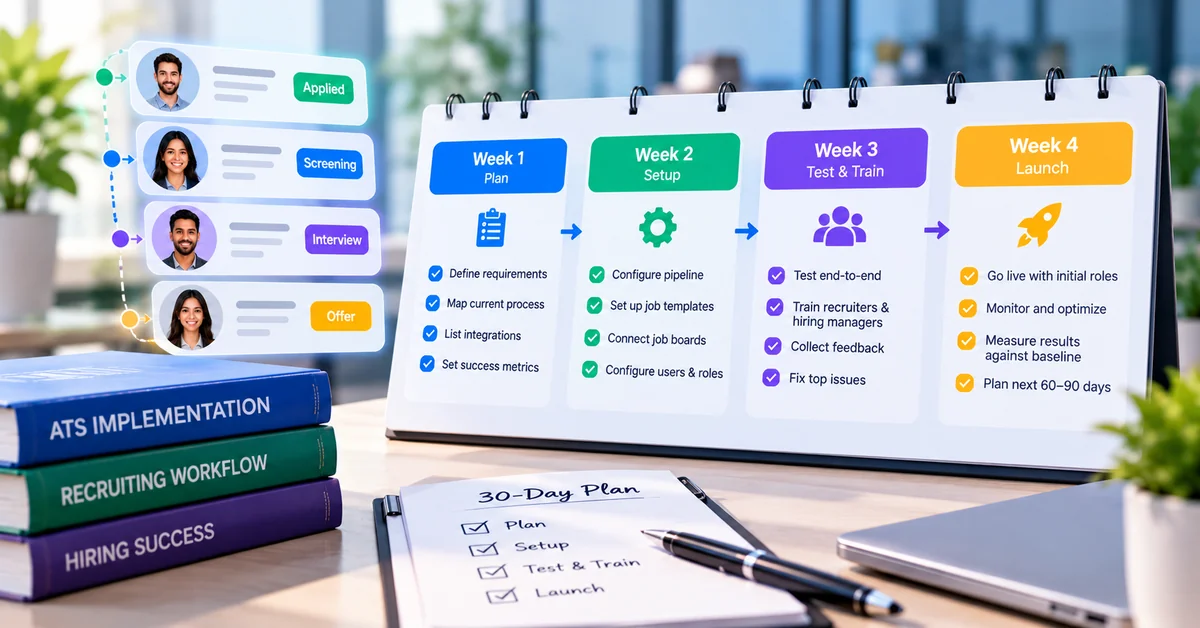
10. Ease of implementation
Ask: What does setup involve, who does what, and how long does it usually take for a team our size?
Why it matters: A tool that is hard to set up gets half used. The plan for the first month matters as much as the features.
A strong answer includes: a written implementation plan with responsibilities on both sides, a description of migration help, a test environment, training materials, and references from similar-size teams.
Warning signs: no timeline, migration left entirely to you, or setup that needs IT resources you do not have.
Use our 30-day recruiting software rollout plan to test the vendor’s answer against a realistic schedule.
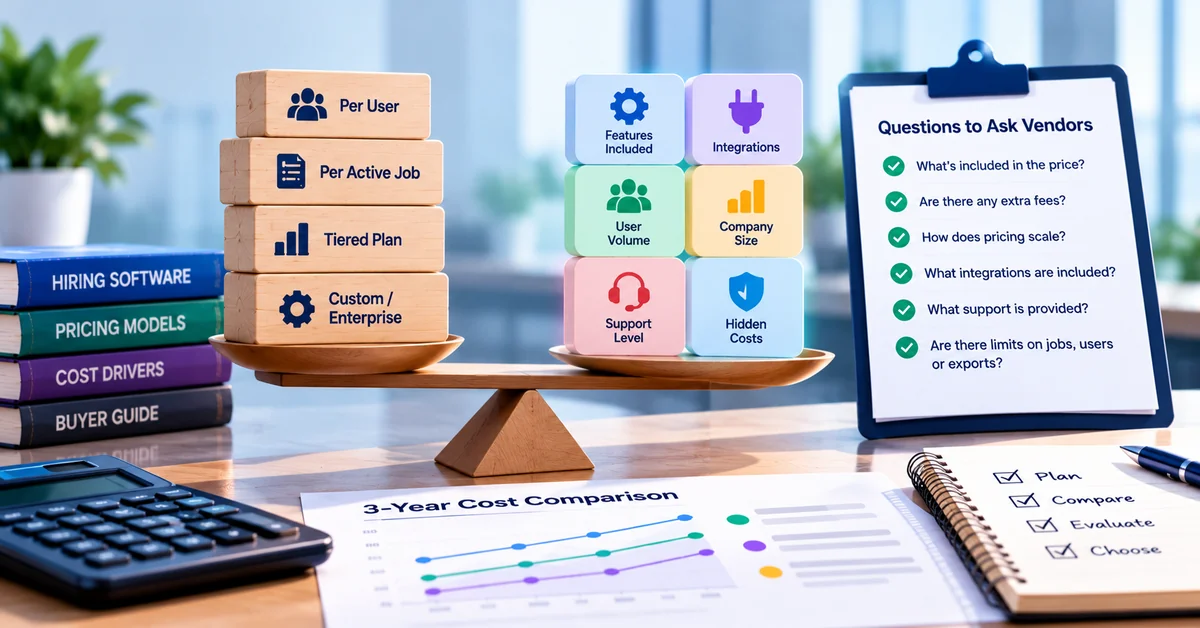
11. Pricing and scalability
Ask: What is included in my tier, what costs extra, and what happens to the price as we grow?
Why it matters: AI features are sometimes metered, capped or held back for higher tiers.
A strong answer includes: written pricing by tier, a clear statement of whether AI is included or usage-based, overage rules, a cap on renewal increases, and data export rights.
Warning signs: metered AI charges with no usage estimate, “unlimited” with no fair-use definition, or a price held for the first year only.
12. Support and measurable outcomes
Ask: What support is included, and which results will we measure together after 90 days?
Why it matters: Results depend on adoption and tuning after launch, not on the demo.
A strong answer includes: a named support channel, response expectations in writing, a dedicated contact where one is promised, an agreed baseline (for example time to first response, time to schedule and recruiter hours per hire), and a review date.
Warning signs: outcome promises with no baseline, testimonials as the only proof, or no exit option if a pilot fails.
Score the answers
Fill in one column per vendor. A maximum score is 24. Treat the three pass-or-fail rows as gates: if a vendor scores 0 on any of them, remove it from the shortlist whatever it scores elsewhere.
| # | Area | Gate? | Vendor A (0-2) | Vendor B (0-2) |
|---|---|---|---|---|
| 1 | Matching accuracy | |||
| 2 | Resume screening and parsing | |||
| 3 | Transparency and explainability | |||
| 4 | Bias monitoring and fairness | Pass or fail | ||
| 5 | Data privacy and security | Pass or fail | ||
| 6 | HR-system integration | |||
| 7 | Workflow automation (human override) | Pass or fail | ||
| 8 | Candidate experience | |||
| 9 | Reporting and analytics | |||
| 10 | Ease of implementation | |||
| 11 | Pricing and scalability | |||
| 12 | Support and measurable outcomes |
Verify the answers with a short pilot
Written answers are a start. Before you commit, run a small test on your own past applicants. Have two recruiters rank 20 to 30 past applicants without seeing the tool’s output, then compare the lists. Re-run the same resumes, and swap names and pronouns to see whether scores move. Our guide to AI in recruitment for small teams walks through these checks step by step. Write down the results, including the misses, and ask the vendor to explain any big gaps.
AI hiring platform evaluation FAQs
What should I ask an AI hiring vendor first?
What should I ask an AI hiring vendor first?
Start with bias documentation and data handling, because they work as gates. If a vendor cannot show how it tests for adverse impact or cannot explain what happens to candidate data, the rest of the demo does not matter.
Do I need a bias audit for AI hiring software?
It depends on where you hire. New York City requires a bias audit for covered tools, and other jurisdictions have their own rules. Even where an audit is not required, asking for one shows how seriously the vendor takes fairness. Confirm your obligations with counsel.
Can a vendor guarantee accuracy or reduced bias?
No credible vendor can guarantee either. Accuracy and fairness depend on your job criteria, your applicant pool and how the tool is configured. Ask for evidence, a pilot on your data, and contract language that matches what the sales team says.
Who is responsible if an AI hiring tool discriminates?
The employer remains accountable under federal anti-discrimination laws for hiring decisions made with software, and vendors can face claims too. Your contract should say who provides audit documentation and how problems are handled. Have counsel review it.
Put the checklist to work
Apply these 12 questions to SmoothHiring too. SmoothHiring AI covers sourcing, job descriptions, a screening assistant, a resume parser, interview questions and salary benchmarking, and you can ask the team for written answers to the questions above. If you also want to see the wider workflow, from job posting to interviews, take a look at SmoothHiring’s recruitment software.