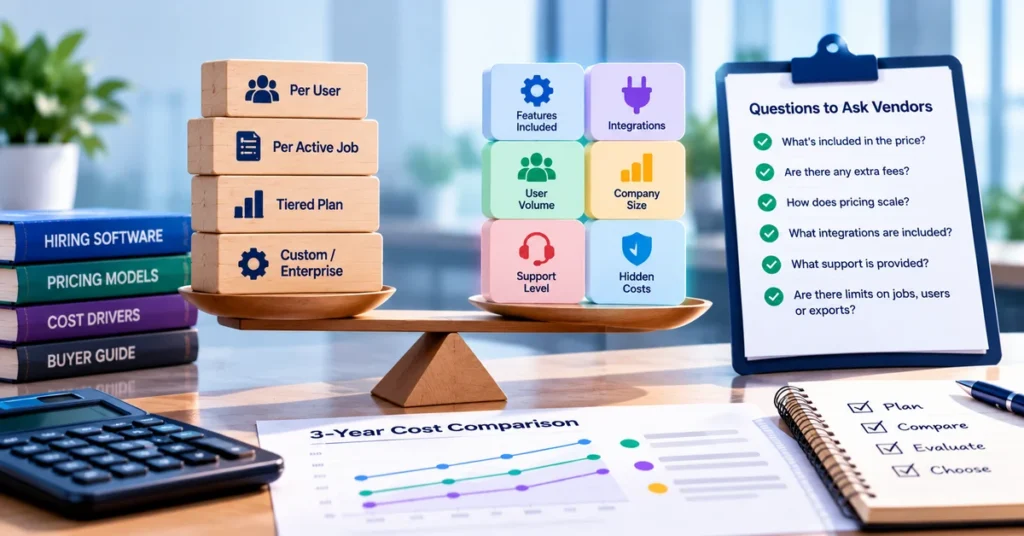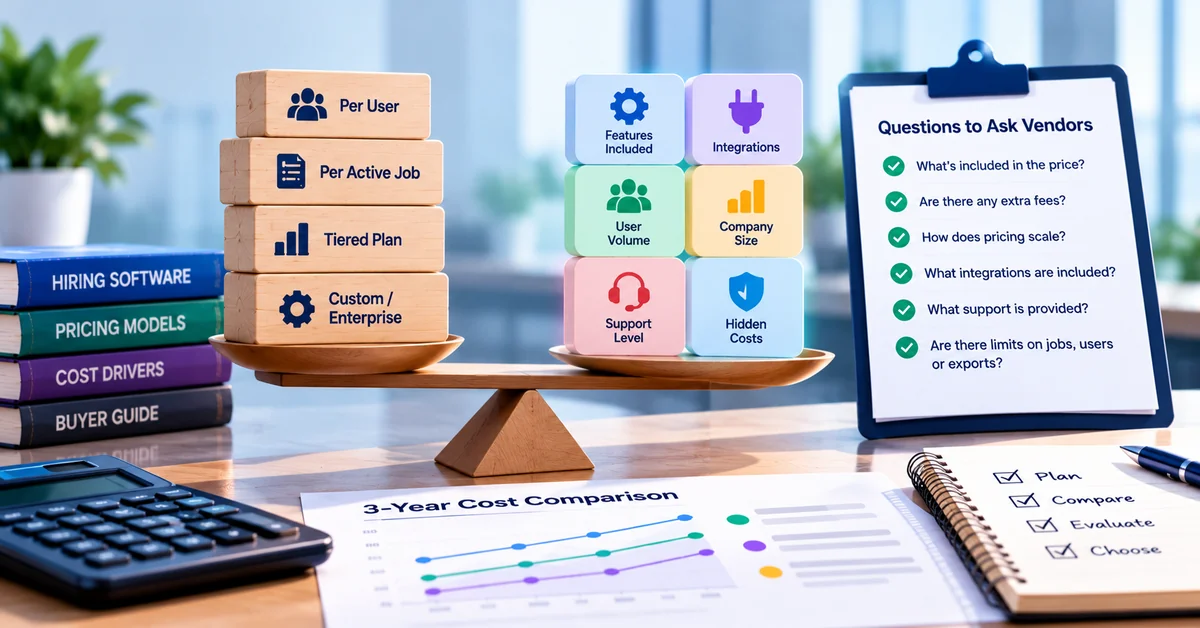



Hiring software pricing is hard to compare because vendors count different things. One charges per recruiter. Another charges per open job. A third prices by company size, and a fourth publishes nothing and asks you to book a call. Then come the costs that never reach the pricing page: setup, data migration, integrations, premium support, and the renewal increase that arrives in month thirteen.
This guide explains common pricing models for hiring and recruiting software, what drives the price, which extra fees to watch for, and what to ask before you sign. It is written for HR managers, recruiters and owners at small and mid-sized US companies buying a first system or replacing one that no longer fits.
Quick answers
Common models: vendors usually charge by user, by active job, by company size, or by flat tier. Many blend two of these.
Sticker price versus real price: setup, integrations, support level, add-ons and renewal terms all change what you pay.
How to compare: use a three-year total cost of ownership, with the same hiring volume and quote scope for every vendor.
Before you sign: get pricing, inclusions and renewal terms in writing.
What hiring software covers, and why it affects the price
Vendors use hiring software, recruiting software and recruitment software for overlapping products. At the simple end is an applicant tracking system (ATS) that posts jobs and collects applications. At the broader end is an all-in-one recruiting software platform that adds screening, interviews, assessments, careers pages and reporting. Enterprise suites add deeper workflow, security and integration work on top.
Price follows scope, so decide what you are buying before you collect quotes. Our comparison of a standalone ATS and an all-in-one recruiting platform can help you settle that.
Common hiring software pricing models
You will meet these structures most often. Real quotes often blend these models, such as a tiered plan with extra charges for add-ons.
| Model | How you are charged | Fits best when | Watch for |
|---|---|---|---|
| Per user (seat) | A monthly or annual fee for each recruiter or hiring manager | A small recruiting team and few hiring managers | Cost rises with every person added. Ask if hiring managers need seats. |
| Per active job | A fee based on open roles or job slots | Low or seasonal hiring volume | Busy periods raise the bill. Check if closed jobs still count. |
| Flat or tiered plan | A set price per tier, with users, jobs and features bundled | Teams that want a predictable monthly cost | Features are gated by tier, and a cap can force an upgrade. |
| Company-size band | Price set by your number of employees | Companies whose headcount is steady | The price can jump at the next band even if hiring is flat. |
| Per hire | A charge for each completed hire | Very low volume | Cost grows with success. Confirm how the vendor defines a hire. |
| Usage-based add-ons | Pay per AI action, text message, assessment or background check | Optional modules you will use occasionally | Easy to underestimate. Ask for an estimate at your volume. |
| Custom or enterprise | A quote after a sales conversation | Larger teams with security or integration needs | Negotiation matters. Get the quote itemized. |
| Free or freemium | A free plan with limits, then paid tiers | Testing a basic workflow | Caps on jobs, users and exports. Check the upgrade path. |
Two public examples show how this looks in practice. SmoothHiring’s pricing page sells plans that scale by active job postings and users, and it states that AI-marked features are included at no extra cost on the plan that lists them. Workable’s pricing page, checked on October 28, 2026, prices by company-size band and sells its AI agent actions as prepaid credits. Neither approach is better by default. Each favors a different buyer, so you should model your own volume instead of relying on the monthly figure alone.
What drives the cost of recruiting software
Cost driver How it changes the price What to check Users Per-seat plans grow with every recruiter and hiring manager Do interviewers and hiring managers count as paid users? Job volume Plans cap active jobs or charge per posting What happens at the cap? Do closed jobs still count? Company size Some vendors price by employee band How large is the jump to the next band? Feature tier AI screening, video interviews, assessments, texting and reporting are often held back for higher tiers Do the features you need sit above the entry tier? Integrations Connections to HR systems, payroll and calendars may be included, limited or extra Which are included? Is API access a separate charge? Support level Standard, priority and dedicated support are often separate tiers What are the response times, and who is your contact?
| Cost driver | How it changes the price | What to check |
|---|---|---|
| Users | Per-seat plans grow with every recruiter and hiring manager | Do interviewers and hiring managers count as paid users? |
| Job volume | Plans cap active jobs or charge per posting | What happens at the cap? Do closed jobs still count? |
| Company size | Some vendors price by employee band | How large is the jump to the next band? |
| Feature tier | AI screening, video interviews, assessments, texting and reporting are often held back for higher tiers | Do the features you need sit above the entry tier? |
| Integrations | Connections to HR systems, payroll and calendars may be included, limited or extra | Which are included? Is API access a separate charge? |
| Support level | Standard, priority and dedicated support are often separate tiers | What are the response times, and who is your contact? |
Billing term deserves a closer look. On SmoothHiring’s pricing page, yearly billing saves 20% against the monthly rate. For the Growth plan, that means $2,198 a year instead of $2,748. Ask every vendor for both numbers so you can decide whether the savings are worth the commitment.
Fees that do not appear on the pricing page
Not every vendor charges all of these. Ask which apply to you.
- Setup or implementation. A one-time fee, sometimes bundled.
- Data migration. Moving candidates, jobs and notes from spreadsheets or an old system may be a paid service or a task for your team.
- Integrations. Some are included, some carry a monthly fee, and custom ones are scoped as projects.
- Training and support. Standard support may be free, while faster response times or a named contact are often higher-tier options.
- Add-on modules. Video interviews, assessments, text messaging and background checks can cost extra.
- AI usage. Where AI is metered, you pay per action. Ask for a usage estimate based on your own volume.
- Job advertising spend. Job boards or ad channels typically bill paid job promotion separately from the software subscription.
- Overages and renewals. Going past a user or job limit, or renewing after a discounted first year, can raise the price.
- Exit costs. Ask how you export your candidate data when you leave, and whether there is a fee.
A simple way to compare total cost of ownership
A sticker price answers a small question. Total cost of ownership (TCO) answers the real one: what will this cost over the period we expect to use it? The method below takes about an hour per vendor.
- Write down your volume. Open roles per month, peak open roles, the number of people who need logins, and the integrations you must have.
- Ask for the same scope. Request a written quote for that exact scope from every vendor.
- Add one-time costs: setup, migration, training and integration work.
- Add recurring costs for the full term: subscription, add-ons, usage charges and the support tier you need.
- Apply the renewal terms. If there is no cap in writing, test your total at a few possible increases.
- Add your own time. Estimate the hours an administrator will spend on setup and upkeep.
- Divide by hires. A tool that costs more per month can cost less per hire if you hire often.
Three-year TCO = (annual subscription x 3) + one-time fees + recurring add-ons + estimated renewal increases + internal admin time
The numbers below are made up to show the arithmetic. They are not market prices.
| Item (hypothetical) | Vendor A | Vendor B |
|---|---|---|
| Annual subscription | $2,400 | $3,900 |
| Setup fee (one time) | $1,500 | $0 |
| Integrations (per year) | $600 | Included |
| Priority support (per year) | $600 | Included |
| Three-year total | $12,300 | $11,700 |
Vendor A looks about 38% cheaper on subscription alone. Over three years, Vendor B costs $600 less. If Vendor A also raises its price at renewal, the gap widens.
Price is only half the decision
Once the totals are comparable, ask what you get for the money. Look at recruiter hours spent on admin, time from application to first response, job board spend and drop-off between stages. Record your baseline before you buy, so you can tell later whether anything changed.
Our guides on how recruiting software reduces hiring costs and the hiring platform ROI calculator show you how to put numbers to it. Be wary of a vendor that promises a specific saving without asking for your own figures.
How a small team can set a software budget
- Start from hiring volume, not features. Ten hires a year and a hundred hires a year call for different pricing structures.
- Separate must-haves from nice-to-haves. Use the buyer’s framework for talent acquisition software and our guide to ATS features small businesses need.
- Test before you commit. Where a vendor allows it, start with monthly billing or a pilot before moving to an annual contract.
- Keep a contingency line for add-ons that surface during setup.
- Read free plans closely. Check the limits on jobs, users and exports before you rely on one.
- Schedule a review. Compare results to your baseline after 90 days.
Example: reading a tiered pricing page
Example: reading a tiered pricing page
Here is how SmoothHiring’s published plans look, as shown on its pricing page on October 28, 2026. Use the same checklist on any vendor: what is the unit, where do AI and support sit, and what changes from one tier to the next?
| Plan | Monthly price | Billed yearly | Active job postings | Users | Notable inclusions |
|---|---|---|---|---|---|
| Starter | $149 | $1,430 per year | 5 per month | 5 | Resume parser, interview scorecards, self-scheduling, standard support |
| Growth | $229 | $2,198 per year | 10 per month | Unlimited | Adds AI job description and salary generators, AI filtering and recommendations, candidate ranking, priority support |
| Scale | $469 | $4,502 per year | Unlimited | Unlimited | Adds one-way video assessments, AI interview kits, text messages, dedicated success manager |
| Enterprise | Custom | Custom | Unlimited | Unlimited | Unlimited integrations, custom features, custom permissions and security options |
Prices change, so check the live page before you budget.
Questions to ask before you buy
Put these in an email and ask for written answers.
Pricing structure
- What is the pricing unit: user, job, employee band, hire, or a mix?
- Who counts as a user? Do hiring managers and interviewers need paid seats?
- What happens when we reach a limit on users, jobs or candidate records?
What is included
- Which demo features are included in my tier, and which are add-ons?
- Is AI included in the plan, or metered by usage?
- Which integrations are included, and what does API access cost?
- What support comes with my plan, and what is the response time?
One-time costs
- Is there a setup, migration or training fee? What does it cover?
Contract and renewal
- What is the difference between monthly and annual pricing?
- Does the contract auto-renew, and how much notice is needed to cancel?
- Is there a cap on renewal increases, and how long is the price held?
Exit and proof
- Can we export all candidate data, in which format, and at what cost?
- Can you put this quote in writing for our hiring volume?
- Can we speak with a customer of our size?
What is included
- Which demo features are included in my tier, and which are add-ons?
- Is AI included in the plan, or metered by usage?
- Which integrations are included, and what does API access cost?
- What support comes with my plan, and what is the response time?
One-time costs
- Is there a setup, migration or training fee? What does it cover?
Contract and renewal
- What is the difference between monthly and annual pricing?
- Does the contract auto-renew, and how much notice is needed to cancel?
- Is there a cap on renewal increases, and how long is the price held?
Exit and proof
- Can we export all candidate data, in which format, and at what cost?
- Can you put this quote in writing for our hiring volume?
- Can we speak with a customer of our size?
Contract and renewal
- What is the difference between monthly and annual pricing?
- Does the contract auto-renew, and how much notice is needed to cancel?
- Is there a cap on renewal increases, and how long is the price held?
Exit and proof
- Can we export all candidate data, in which format, and at what cost?
- Can you put this quote in writing for our hiring volume?
- Can we speak with a customer of our size?
Custom pricing is not a warning sign on its own, because many vendors quote larger deployments individually. Warning signs include a quote with no breakdown, an “unlimited” claim with no definition of fair use, pressure to sign a multi-year term before you have tested the product, and a refusal to share renewal terms.
Hiring software pricing FAQs
How much does hiring software cost?
How much does hiring software cost?
It depends on the model, your user count and your hiring volume, and it ranges from free plans with limits to custom enterprise quotes. Published price ranges vary widely between guides, and many do not explain how they were calculated, so treat any single range as a starting point. Request quotes for the same scope from three vendors and compare the three-year total.
Which pricing model is cheaper, per user or per job?
Neither is cheaper in general. If many people take part in hiring but you have few open roles, a per-job or unlimited-user plan often costs less. If a small group of recruiters handles a high volume of roles, per-user pricing can work out better—model both with your own numbers.
Is free hiring software worth using?
A free plan can be a sensible way to test a workflow. Check the limits on jobs, users, candidate records and data export and find out the upgrade cost before you build your process around it.
What hidden costs should I look for?
Ask about setup, data migration, integrations, training, premium support, add-on modules, usage-based AI charges, overages, renewal increases and the cost of exporting your data. Not every vendor charges for all of them, so ask which apply to your quote.
Compare plans with your own numbers
SmoothHiring publishes its plans so you can run these checks yourself. If you want one platform for job posting, applicant tracking, screening and interviews, start with SmoothHiring’s hiring software platform, then compare the plans against your hiring volume. If AI-assisted screening and candidate recommendations will shape your decision, see how SmoothHiring’s AI hiring software works before you compare tiers. Have a quote you want a second opinion on? Talk to the SmoothHiring team.