

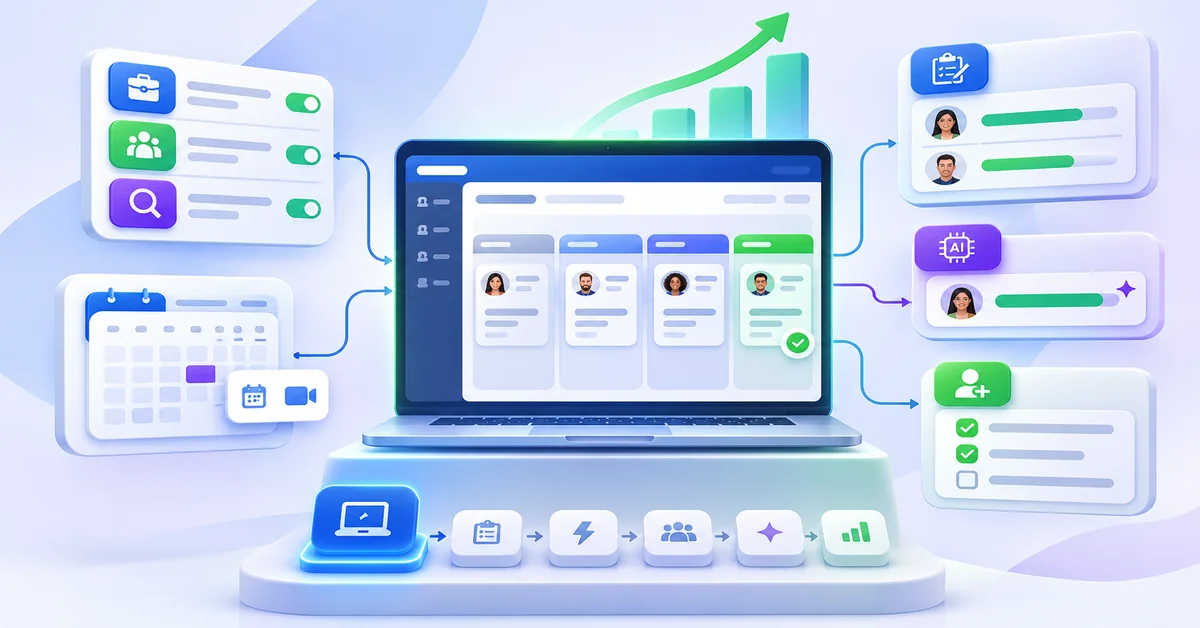

IT hiring software for a startup should do two jobs: keep a small number of technical candidates moving quickly through a structured process, and give your engineers a simple way to evaluate and agree on them. Most of the value is in process features: pipelines built for technical roles, scheduling that handles engineers’ calendars, shared scorecards, job distribution to reach developers and clear candidate communication. Evaluating coding ability is a separate job. Don’t assume a general applicant tracking system (ATS) tests coding skills; ask each vendor to show exactly what is built in, what connects to a separate tool, and what you must handle yourself.
The stakes are real for a small team. The U.S. Bureau of Labor Statistics reports a May 2025 median pay of $135,980 for software developers and projects 10% employment growth from 2025 to 2035. A startup is competing for these candidates against larger employers, so a slow, disorganized process costs you people you can’t easily replace.
Why hiring software engineers and DevOps talent is different
Technical hiring has the same steps as any hiring: attract, screen, interview, decide, offer. What changes is how hard each step is for a small team.
You are competing on pay and speed. With median pay for software developers above $130,000 (BLS, May 2025), strong candidates may be talking to several companies at once. A process that sits idle between stages gives them time to choose elsewhere.
Roles are narrow and overlap. “Backend engineer”, “platform engineer”, “DevOps engineer” and “site reliability engineer” share skills but are not interchangeable. A single generic pipeline blurs them. Keyword search also misses equivalents (one resume says Kubernetes, another says container orchestration).
A resume says little about skill. You need to see the work: a structured technical interview, a work sample or a pairing session. A widely cited 2022 update of selection research (Sackett and colleagues, summarized by SIOP) put structured interviews at .42 operational validity and work samples at .33. Your software should make a structured process easy to repeat.
Your engineers are your interviewers. They have sprints and incidents. Every scheduling email or late scorecard pulls them away from the product, and delayed feedback is how strong candidates go cold.
Take-home tests can backfire. Vendor guidance from HackerEarth, a technical assessment company, suggests keeping take-homes to about 60 to 90 minutes and watching how many invited candidates finish. That is one vendor’s recommendation, not a measured standard, but the logic is sound: long unpaid tasks cost the candidate time you have not earned yet.
Many good engineers aren’t applying. Passive candidates often matter for specialized roles, so sourcing and outreach can matter as much as posting.
Application noise is rising. In a June 2026 Resume Genius survey of U.S. hiring teams (a vendor-run survey with an inconsistently stated sample size), 58% had received AI-written resumes or cover letters, 28% had caught AI-assisted cheating on an online skills assessment and 17% had seen deepfakes in video interviews.
Hiring is a side job. At a startup, the hiring lead is often a founder, an engineering manager or a part-time recruiter. The software has to work without a dedicated admin.
General recruiting software vs software that supports technical hiring
General recruiting software manages the process: it posts the job, collects applications, tracks each candidate through stages, schedules interviews, sends messages and records decisions. Technical hiring needs all of that plus a way to judge technical skill. Many applicant tracking systems stop at the first part. Some include or connect to assessment tools, and some don’t. It varies by vendor and plan, so confirm it rather than assume it.
Pipeline. General software gives you stages such as applied, screen, interview and offer. Technical hiring adds separate stage sets per role type, for example a coding exercise stage for engineers and a hands-on stage for DevOps. Verify: can you copy and edit a pipeline per role without help from the vendor?
Screening. General software parses resumes, supports search and offers knockout questions. Technical hiring needs screening on stack, seniority and domain, not just job titles.
Evaluation. General software offers scorecards and interview feedback forms. Technical hiring adds coding exercises, system design, pairing, work samples and structured rubrics per skill.
Interviewing. General software handles scheduling, reminders and video links. Technical hiring means panels of busy engineers, multi-round loops and interviewer prep notes.
Collaboration. General software shares notes and candidate profiles. Technical hiring benefits from independent scoring before group discussion, so one strong voice doesn’t sway the rest.
Reporting. General software reports on source, stage counts and time to hire. Technical hiring adds stage-by-stage drop-off for technical steps and time spent waiting on feedback.
The key point: an ATS organizes the evidence, and your technical interviews and exercises produce it. If a vendor says its platform evaluates coding ability, ask which test types, which languages, how results are scored, how cheating is handled and whether a person reviews the output. If it doesn’t provide this, you can still hire well. You’ll use a dedicated assessment tool, a live pairing session or a short work sample, and record the results in the ATS candidate profile.
IT hiring software features: essential vs nice-to-have
The features below cover the workflows you need to compare: ATS pipelines, technical candidate tracking, job distribution, scheduling, assessments, collaboration and reporting. Each has the problem it solves and questions to put to vendors. The grouping into essential, important and nice-to-have is a judgment for a startup making a handful of technical hires a year, not a measured ranking. A team with many more hires, or a regulated industry, would weigh several items differently.
Essential
Customizable pipelines per role. Solves: one generic pipeline hides where engineering candidates stall. Ask: can I create and edit a pipeline for each role type myself? Can I clone one for the next role?
Structured scorecards and interview guides. Solves: unstructured feedback and inconsistent questions make candidates hard to compare. Ask: can I build a rubric per role and skill? Can interviewers score before seeing others’ feedback?
Interview scheduling with calendar sync and panels. Solves: back-and-forth emails and engineer calendar clashes slow every stage. Ask: which calendars sync? How are panels, buffers, time zones and rescheduling handled? Can a candidate book without creating an account?
Job distribution with source tracking. Solves: posting to boards by hand wastes time, and you can’t tell which source brings engineers. Ask: which boards are included in my plan, and which cost extra? What source and cost-per-applicant data do I see?
Candidate communication and status updates. Solves: silence causes drop-off. Ask: can I set automatic acknowledgments and stage updates from my own templates? Can a person override them?
Collaboration and permissions. Solves: founders, managers and interviewers need different views. Ask: can I invite interviewers without paying for a full seat? What can each role see?
Important
Resume parsing and a searchable candidate database. Solves: past applicants are a free pipeline for the next role. Ask: how accurate is parsing on my own sample resumes? Can I search past candidates by skill and tag?
Technical assessment, built in or integrated. Solves: resumes don’t show whether someone can code or run infrastructure. The method matters more than the tool. Ask: do you provide coding or technical tests, or integrate with another tool? Show me the whole flow, including how results appear on the candidate profile.
Careers page. Solves: candidates check your page before applying. Ask: can I publish roles with a stack, team and process description without developer help?
Reporting. Solves: without data you can’t see stalled stages or poor sources. Ask: can I see source quality, stage-to-stage conversion and time waiting on feedback? Can I export raw data?
Sourcing and passive candidate search. Solves: specialist engineers often need outreach. Important if you hire specialists; otherwise nice-to-have. Ask: what does search cover and where does the data come from? Are outreach messages tracked in the pipeline?
Nice-to-have
Integrations and API. Solves: double entry between calendars, chat, HR and payroll tools. Nice-to-have at first, more important as you grow. Ask: which integrations exist today, and which need a higher plan? Is there an API or webhook?
AI candidate matching or ranking. Solves: sorts a large applicant list. Small pipelines can usually be read by a person. Ask: how is the score built? How is it tested for unequal impact? Can I see reasons for each ranking?
One-way video screening. Solves: saves live screening time, though a live technical conversation usually does more for engineering roles. Ask: is it optional for candidates? Is the final decision always a person’s?
Onboarding tools. Solves: a smooth handoff once someone is hired. Ask: can offer and onboarding steps connect to the same candidate record?
Two features are deliberately lower on the list. Predictive scores and AI ranking are most useful when you have many applicants, and they need validation evidence before you rely on them (see our guide to AI in recruitment). For a startup with a few dozen applicants per role, a clear process and a person reading each profile will usually do more.
How to reduce manual coordination and candidate drop-off
Most of the coordination work in a small team is repeating the same four things: finding times, chasing feedback, updating candidates and moving people to the next stage. Software can automate the routine parts. The process rules below are what make that automation useful. The targets are suggestions to adapt, not industry standards.
Finding interview times. Let candidates pick from open slots, set interviewer availability once and define a standard panel for each role. Look for calendar sync, self-scheduling, panel templates, reminders and time-zone handling. Track: days from the “advance” decision to a scheduled interview.
Silence after applying. Send an acknowledgment immediately and tell candidates the stages and how long each usually takes. Look for automatic emails from templates and stage-triggered messages. Track: the share of applicants who got a reply within your target, for example two business days.
Slow feedback from engineers. Agree a same-day or next-day scorecard rule, and send each interviewer a prompt and a rubric. Look for scorecards, interviewer reminders and a view of overdue feedback. Track: hours from interview to submitted scorecard.
Too many stages. Combine the technical screen and a short work sample, and drop rounds that repeat each other. Look for pipelines you can change per role. Track: candidates lost at each stage.
Long unpaid exercises. Cap take-homes at about 60 to 90 minutes (a vendor-suggested guideline), pay for longer ones, or replace them with a live pairing session. Look for the ability to attach, send and receive exercises, or to integrate with an assessment tool. Track: the share of invited candidates who finish. If many don’t, shorten or change the exercise.
Decisions that drift. Hold a short debrief after the final interview and record a decision. Look for a shared candidate profile with all scores and notes. Track: days from final interview to decision.
Offers going cold. Prepare offer details before the final interview and keep in touch during approvals. Look for offer tracking and reminders. Track: days from decision to offer to response.
Two habits matter more than any feature. First, tell candidates the process up front, in the job post and in the first email. Second, own a visible rule for replies, such as an answer within two business days at every stage, and check it weekly. Both cost nothing and both depend on the software only for reminders and reporting.
Treat any promised percentage reduction in time to hire or drop-off, from a vendor or from an article, as a hypothesis until you’ve measured it in your own pipeline. Record your current figures before switching tools so you have something to compare.
How to evaluate software when you hire a few technical employees a year
A startup making a small number of technical hires should buy for its next twelve months, not for a hiring team it might have in three years. The process below takes about two weeks and uses your real roles.
Write down your volume and roles. How many technical hires do you expect in the next 12 months, which role types (for example backend, frontend, DevOps), and who interviews? This sets the seats, job slots and plan limits you actually need.
List six to eight must-haves. Use the Essential features above. Add anything specific to you, such as a required calendar tool or video platform.
Shortlist two or three tools. More than that costs you more evaluation time than it saves. Compare them on the same criteria, not on feature counts.
Run one real role through each trial. Build the pipeline, write the job post, schedule two or three practice interviews with your engineers, collect scorecards and send a candidate email. Note every step that needs the vendor’s help.
Score with a weighted sheet. Give each must-have a weight, score each tool from 1 to 5 using what you saw (not what was promised) and leave a feature unscored if it wasn’t demonstrated.
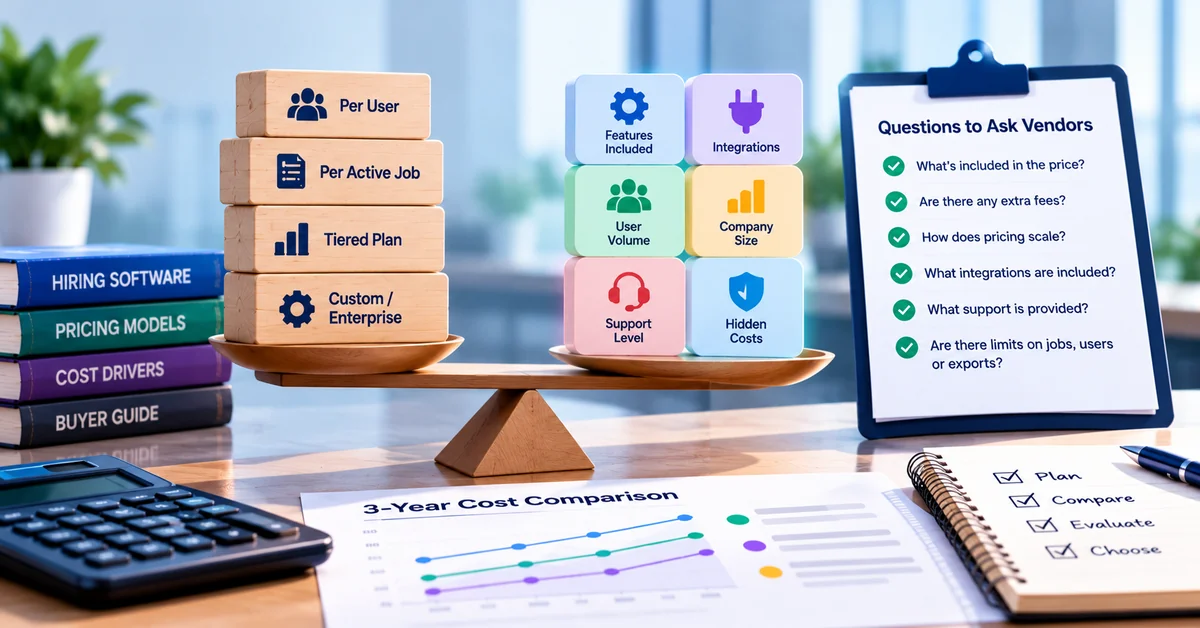
Check the commercial terms. Ask for the full price including add-ons, seat and job limits by plan, contract length, export rights and what happens to your data if you leave. This post doesn’t quote prices because they change; get them in writing.
Common purchasing mistakes, implementation and scalability
Purchasing mistakes
Purchasing mistakes
Assuming the ATS includes technical testing. You discover the gap after signing, then pay for a second tool or improvise. Ask for a live demo of technical assessment, or plan the method separately before you buy.
Buying for hypothetical scale. You pay for seats, job slots and modules you won’t use for a year. Match the plan to your 12-month plan and check how easy it is to upgrade.
Choosing on the demo. Demos show the best path with clean data. Run your own role through a trial with your own engineers.
Ignoring the interviewer experience. If engineers dislike the tool, scorecards arrive late. Include at least one interviewer in the trial and ask what slowed them down.
Counting only the headline price. Add-ons, limits per plan and extra seats change the real cost. Get the full cost for your volume in writing.
Trusting performance claims. Percentages without a stated method can’t be compared. Ask how a figure was measured, and compare with your own baseline.
Skipping data and exit terms. Moving later is painful if you can’t export candidates. Confirm export formats, retention and deletion before you commit.
Implementation
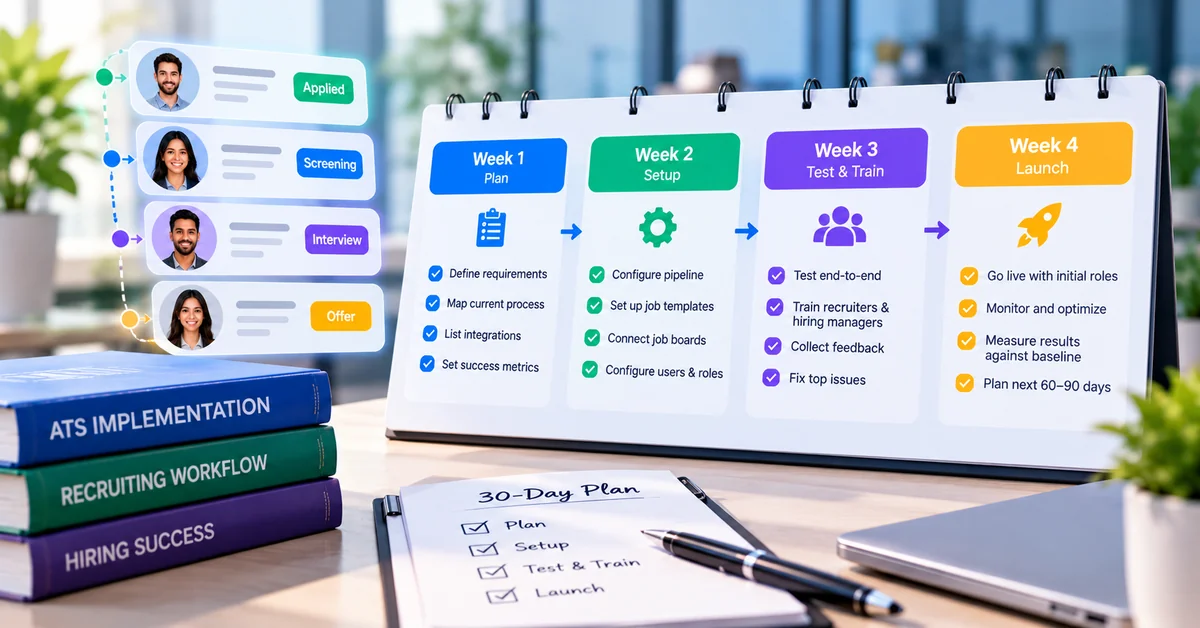
Plan about one to two weeks to be usable and a few more to settle in. Set up the first pipeline from your real stages, connect calendars for every interviewer, create templates for acknowledgment, scheduling and rejection messages, and build a scorecard for each role type before the first posting goes live. Add a short, plain note on your application page about how you use any AI features. Import past candidates only if you have the right to keep them. Name one owner for the tool, even if it’s a part-time role.
Scalability
Ask what changes if you go from three hires a year to twenty. The questions to ask:
What are the limits on users, active jobs and candidates at each plan, and how does pricing move when you pass them?
Can you add permissions by team or role so a hiring manager sees only their candidates?
Can reporting show results by role, recruiter or source as you add more of them?
Is there an API or integrations with your HR, payroll and chat tools when you need them?
Can you keep a talent pool of strong past candidates and re-contact them?
You don’t need all of this now. You do want to know that it is there when you do.
IT hiring software evaluation checklist
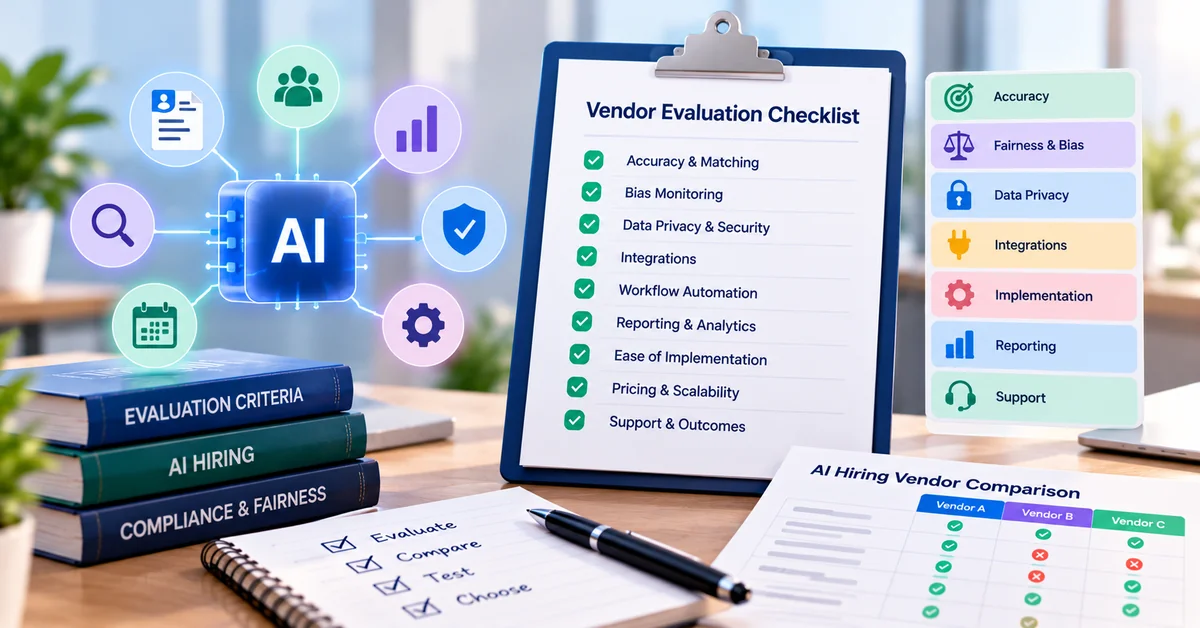
Copy this into a spreadsheet and score each tool during your trial. Tick an item only if you saw it work, not if the vendor said it would.
Pipeline and candidate tracking
- I created a role-specific pipeline myself, without vendor help
- I can clone a pipeline for the next role
- Candidates carry tags for stack, seniority and source
- Parsing worked correctly on 10 of my own resumes
- I can search past candidates by skill and reuse them for new roles
Job distribution and careers page
- I posted one job to my chosen boards from a single screen
- I know which boards are included and which cost extra
- I can see applicants and cost by source
- The careers page lets me describe stack, team and process
Scheduling and communication
- My calendar synced and a candidate booked a slot without an account
- A panel interview with several interviewers booked correctly
- Rescheduling and time zones worked
- Automatic acknowledgments and stage updates sent from my templates
- A recruiter can override or stop any automatic message
Evaluation and collaboration
- I built a scorecard with a rubric per skill
- Interviewers scored before seeing each other’s scores
- Interviewers could join without a full paid seat, or I know the cost
- I saw how technical assessment works: built in, integrated or handled outside the tool
- Results from technical exercises can be attached to the candidate profile
- Any AI score or ranking comes with reasons I can read, and a person decides
Reporting, data and security
- I can see stage conversion and time waiting on feedback
- I can export candidate and pipeline data
- Roles and permissions limit who sees what
- Retention, deletion and data-use terms are in writing
Cost and fit
- I have the full cost for my volume, including add-ons and extra seats
- Plan limits fit my next 12 months
- At least one engineer used it and said what slowed them down
- I know how to upgrade, and what I’d lose by leaving
Where SmoothHiring fits for IT startups
- I created a role-specific pipeline myself, without vendor help
- I can clone a pipeline for the next role
- Candidates carry tags for stack, seniority and source
- Parsing worked correctly on 10 of my own resumes
- I can search past candidates by skill and reuse them for new roles
Job distribution and careers page
- I posted one job to my chosen boards from a single screen
- I know which boards are included and which cost extra
- I can see applicants and cost by source
- The careers page lets me describe stack, team and process
Scheduling and communication
- My calendar synced and a candidate booked a slot without an account
- A panel interview with several interviewers booked correctly
- Rescheduling and time zones worked
- Automatic acknowledgments and stage updates sent from my templates
- A recruiter can override or stop any automatic message
Evaluation and collaboration
- I built a scorecard with a rubric per skill
- Interviewers scored before seeing each other’s scores
- Interviewers could join without a full paid seat, or I know the cost
- I saw how technical assessment works: built in, integrated or handled outside the tool
- Results from technical exercises can be attached to the candidate profile
- Any AI score or ranking comes with reasons I can read, and a person decides
Reporting, data and security
- I can see stage conversion and time waiting on feedback
- I can export candidate and pipeline data
- Roles and permissions limit who sees what
- Retention, deletion and data-use terms are in writing
Cost and fit
- I have the full cost for my volume, including add-ons and extra seats
- Plan limits fit my next 12 months
- At least one engineer used it and said what slowed them down
- I know how to upgrade, and what I’d lose by leaving
Where SmoothHiring fits for IT startups
Scheduling and communication
- My calendar synced and a candidate booked a slot without an account
- A panel interview with several interviewers booked correctly
- Rescheduling and time zones worked
- Automatic acknowledgments and stage updates sent from my templates
- A recruiter can override or stop any automatic message
Evaluation and collaboration
- I built a scorecard with a rubric per skill
- Interviewers scored before seeing each other’s scores
- Interviewers could join without a full paid seat, or I know the cost
- I saw how technical assessment works: built in, integrated or handled outside the tool
- Results from technical exercises can be attached to the candidate profile
- Any AI score or ranking comes with reasons I can read, and a person decides
Reporting, data and security
- I can see stage conversion and time waiting on feedback
- I can export candidate and pipeline data
- Roles and permissions limit who sees what
- Retention, deletion and data-use terms are in writing
Cost and fit
- I have the full cost for my volume, including add-ons and extra seats
- Plan limits fit my next 12 months
- At least one engineer used it and said what slowed them down
- I know how to upgrade, and what I’d lose by leaving
Where SmoothHiring fits for IT startups
Reporting, data and security
- I can see stage conversion and time waiting on feedback
- I can export candidate and pipeline data
- Roles and permissions limit who sees what
- Retention, deletion and data-use terms are in writing
Cost and fit
- I have the full cost for my volume, including add-ons and extra seats
- Plan limits fit my next 12 months
- At least one engineer used it and said what slowed them down
- I know how to upgrade, and what I’d lose by leaving
Where SmoothHiring fits for IT startups
Where SmoothHiring fits for IT startups
SmoothHiring is built for small and mid-sized teams and covers the process side of technical hiring in one place: an applicant tracking system, job distribution, interview scheduling, team collaboration and reporting. The list below matches your requirements to what its own pages describe (read 13 Oct 2026). A description on a web page isn’t the same as a tested feature, so use the “Confirm” notes in your trial. For general guidance on small-team ATS features, see What ATS Features Does a Small Business Actually Need?.
Role-specific pipelines. The pages describe custom hiring pipelines and a candidate pipeline for tracking applicants. Confirm: you can build and copy a pipeline per technical role on your plan.
Structured evaluation. The pages describe scorecards, guided interview questions and interview kits. Confirm: interviewers can score independently and you can compare results.
Interview scheduling. The pages describe Google and Outlook calendar sync, candidate self-scheduling, reminders and confirmations, panel coordination and time-zone handling. Confirm: panels across several engineers, rescheduling and buffers.
Job distribution. The pages describe one-click posting to job boards and social platforms, free boards included in plans, sponsored boards as add-ons, and source analytics (applicant volume, cost per applicant, time to first applicant). Confirm: exactly which boards your plan includes. The site gives different board counts on different pages, so ask for the current list.
Reaching passive candidates. The pages describe a passive candidate search feature. Confirm: what data it covers and how outreach is tracked.
Collaboration. The pages describe applicant sharing, team collaboration, task assignment, and roles and privileges. Confirm: whether interviewers need a paid seat.
Video interviews. The pages describe video interviewing in the ATS, with Zoom named on the features page and Google Meet and Microsoft Teams on the pricing page, plus one-way video assessments with AI-assisted scoring that a person reviews. Confirm: which video tools work on your plan, and whether you want one-way video for engineers at all.
Careers page. The pages describe a branded careers page builder. Confirm: you can describe stack, team and interview process.
Reporting. The pages describe reports on candidate sources, time to hire and pipeline health. Confirm: stage conversion and time waiting on feedback, and whether you can export.
Candidate matching. The pages describe AI resume search, candidate recommendation, and a 0 to 100 Competency Alignment Score against benchmarks. Confirm: how the score is built and tested. Treat it as a sorting aid, not a verdict.
Behavioral assessments. The pages describe a behavioral and personality assessment. Confirm: what it measures and what evidence supports it for your roles.
Pricing. The pages describe public plan tiers (Starter, Growth, Scale, Enterprise) with limits such as number of users and active jobs, and a 14-day free trial without a credit card. Confirm: the full cost for your volume, since feature availability and limits vary by plan.
The technical assessment gap
SmoothHiring’s pages describe behavioral assessments, scorecards and interview kits. They do not describe coding tests, a technical skills test library or a GitHub integration, and this post does not claim them. The pages also don’t confirm which third-party integrations exist beyond naming video and calendar tools. If you choose SmoothHiring, plan to run technical evaluation your own way, for example with a structured pairing session or work sample designed by your engineers, or with a dedicated assessment tool, then record the result on the candidate profile and scorecard. Ask in the demo how your team would attach those results, and whether any integration exists.
Where it fits best
SmoothHiring is a reasonable fit if your main problems are coordination, speed and consistency: getting jobs posted, interviews scheduled, feedback collected and candidates updated with a small team. It is a weaker fit, based on what its pages describe today, if you want technical assessment built into the same product. Compare it on the same checklist as any other option, and trial it with one of your own roles.
Frequently asked questions
What is IT hiring software?
What is IT hiring software?
IT hiring software is recruiting software used to hire technical staff such as software engineers, developers and DevOps engineers. It typically includes an applicant tracking system, job posting, interview scheduling, scorecards and reporting. Some tools also include or integrate with technical assessments; many don’t, so confirm.
Does an ATS test coding skills?
Not automatically. An ATS manages the hiring process. Coding evaluation usually comes from a structured technical interview, a work sample, a pairing session or a separate assessment tool. Ask any vendor to show how technical testing works and how the results reach the candidate record.
What features does a startup need to hire engineers?
The essentials are customizable pipelines, structured scorecards, interview scheduling with calendar sync and panels, job distribution with source tracking, automated candidate updates and shared access for interviewers. Reporting, a careers page and a searchable candidate database come next.
How do you reduce candidate drop-off in technical hiring?
Tell candidates the stages up front, reply quickly at every stage, let them self-schedule, keep exercises short or paid, and agree a feedback deadline for interviewers. Measure replies, time between stages and assessment completion in your own pipeline.
How long should a take-home coding test be?
There is no universal standard. One technical assessment vendor suggests about 60 to 90 minutes. Whatever you choose, state the time expected, make the task relevant to the job and consider paying for anything longer.
How do I choose hiring software for a small number of technical hires?
List your must-have features, shortlist two or three tools, run one real role through each trial with your own engineers as interviewers, and score what you saw. Check the full cost for your volume and the plan limits.
Can small teams use AI in technical hiring?
Yes, with limits. AI is most useful for low-risk tasks such as scheduling, drafting job descriptions and summarizing resumes. Don’t use an AI score as the only reason to reject a candidate, and tell candidates how AI is used. See our guide to AI in recruitment.


