

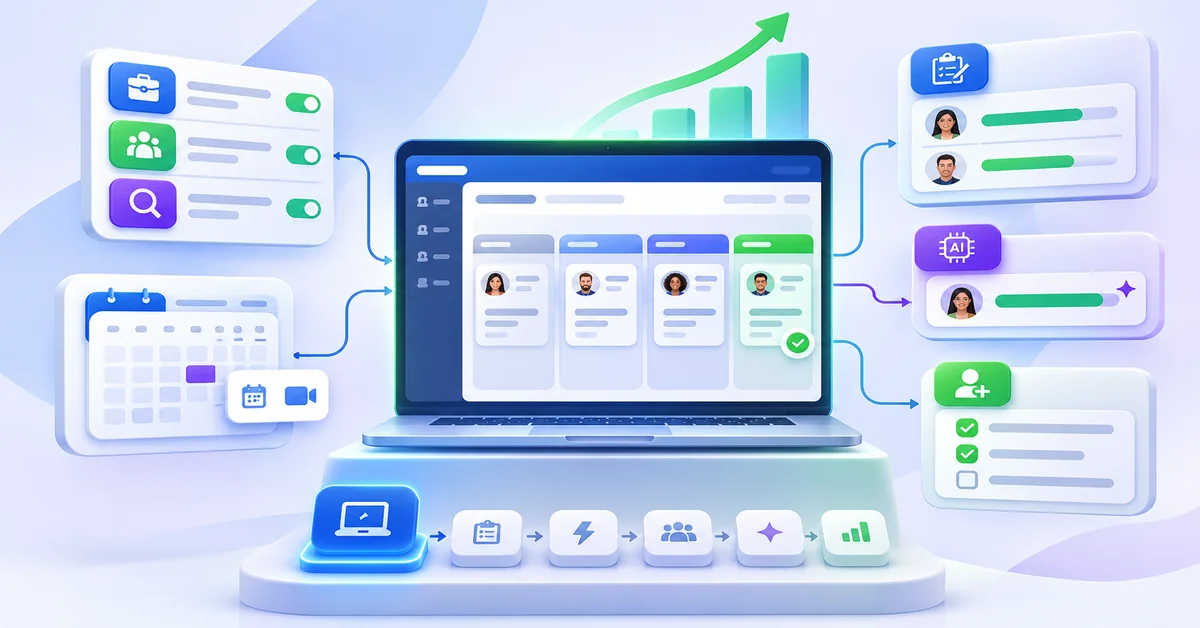
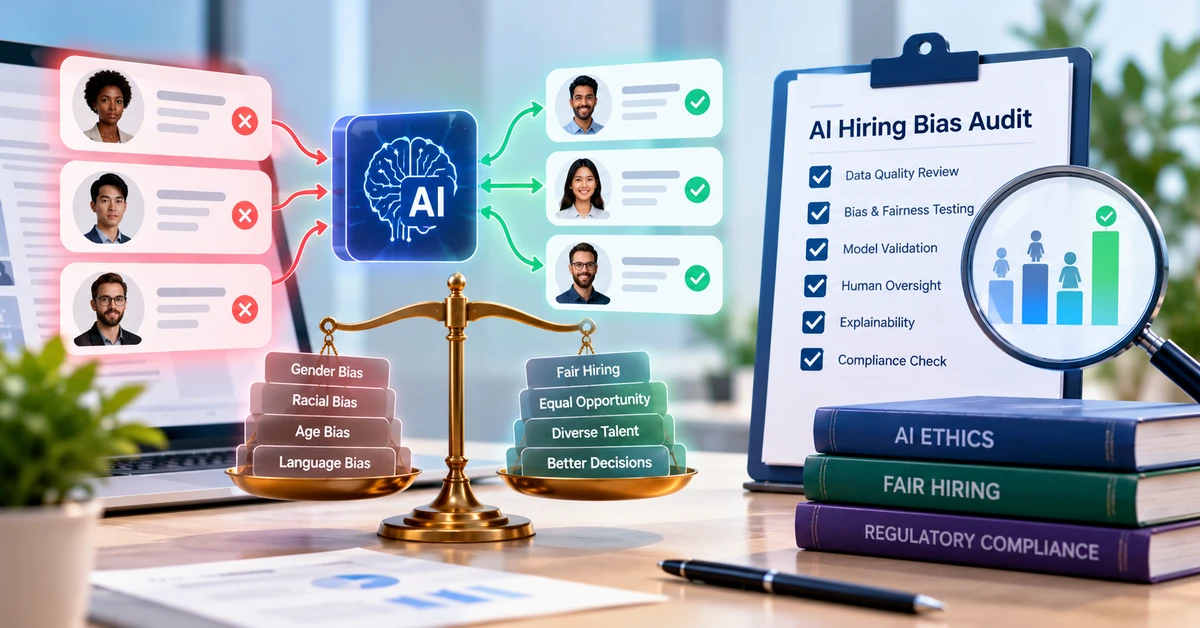
AI in recruitment works best on narrow, repeatable tasks: drafting job descriptions, organizing and summarizing applications against criteria you set, scheduling interviews, and keeping candidates informed. It does not reliably tell you who will succeed in a job, and no tool removes bias on its own. For a small team, the safe path is to automate low-risk admin first, use AI to sort and summarize candidates second, and keep a named person accountable for every decision that affects a candidate.
That matches how hiring teams already use it. In a June 2026 survey of U.S. hiring managers by Resume Genius, 87% said they use AI in at least one recruiting stage. Resume screening (58%), job descriptions (46%), skills-based matching (44%) and interview scheduling (41%) led the list; candidate communication was lower (27%). The authors describe the use as mostly administrative, not final decision-making. The survey is vendor-run, and the report states its sample size inconsistently (1,500 in the text, 1,000 in the methodology), so treat the percentages as a rough guide.
What small teams should take from this post
Start with tasks that don’t judge people. Scheduling, status emails, job posting and first-draft job descriptions carry the least risk and are the easiest to check.
Treat rankings and scores as a sorting aid. A person should review the people the tool ranks highly and a sample of those it ranks low, and should make every rejection decision.
Be skeptical of success predictions. A score that claims to predict performance needs evidence from roles like yours before it affects who gets an interview.
Measure before and after. Without a baseline from your own process, you can’t tell whether a tool helped.
Tell candidates and keep records. Several U.S. states and cities now have rules on notice, audits or automated decision-making, and more take effect in 2027.
Where AI helps across the recruitment lifecycle
AI is most useful where the task is repetitive, the rules are clear and a person can check the output quickly. It is least useful where the answer depends on context, judgment or evidence the tool can’t see. The table below sorts common uses by that test. The benefits are described as possibilities, not measured results, because they depend on your volume, your process and the tool.
| Use case | Potential benefit | Limitations | Recommended human oversight |
| Job descriptions | A faster first draft with a consistent structure | Generic wording; may invent requirements, benefits or pay details; can copy exclusionary phrasing from training data | The hiring manager cuts requirements to what the job needs and checks every fact, including pay and benefits |
| Job distribution | Less manual posting; one place to see which sources bring applicants | More applicants is not the same as better applicants; sponsored boards cost money | Review source quality (not just volume) monthly and stop paying for sources that don’t produce hires |
| Resume parsing and candidate search | Resumes in different formats become searchable profiles | Parsing errors on unusual layouts; search finds what is written, not what a person can do | Spot-check parsed fields on a sample; keep original resumes one click away |
| Candidate matching and ranking | A long applicant list sorted against criteria you define | Only as good as the criteria and benchmarks behind it; can repeat patterns in past hiring | A recruiter reviews the top group and a sample below the cut-off; scores never reject anyone alone |
| Resume screening and summaries | Less time reading every resume in full | Summaries can omit or misstate details; language models have shown bias in research tests (see below) | Run a regular sample check against the full resumes; no automatic rejections |
| Interview scheduling | Fewer back-and-forth emails; candidates pick a time themselves | Panels, time zones and accessibility needs create exceptions | A recruiter handles exceptions and offers a non-self-service option |
| Candidate communication | Faster acknowledgments and status updates | Tone errors, wrong details, impersonal rejections | Approve templates in advance; a person sends sensitive messages such as rejections after interviews |
| Interview kits and notes | Consistent questions across candidates | Generic questions; summaries of recorded interviews can be wrong; recording needs consent | Interviewers write their own scores from a shared rubric and own the final rating |
| Assessments and predictive scores | A common yardstick across candidates | Value depends on validation evidence for the specific role (next section) | Do not use to screen out candidates until the evidence and bias testing exist |
One benchmark is worth keeping in mind. A widely cited 2022 update of research on selection methods (Sackett and colleagues, summarized by SIOP) put structured interviews at the top, with an operational validity of .42 and work samples at .33. A tool that helps your team run structured interviews consistently is therefore supporting a method with a track record. A tool that replaces that structure with an opaque score has to show it does at least as well.
What AI cannot reliably do
Predict who will succeed without validation. A prediction is only meaningful if the score has been shown to relate to job performance, retention or another outcome in roles like yours, and tested for unequal impact on protected groups. That is what “validation” means. Without it, a score is a ranking of how closely someone matches a profile, which is a different thing. Even the best-established selection methods leave most of the variation in performance unexplained (the structured-interview figure above is .42), so a vendor claiming near-certain prediction should be asked for the study, the sample, the date and who ran it.
Judge context. A career gap, a change of field or an unusual title can mean many things. A model sees the words on the page. A recruiter can ask.
Guarantee fairness. In a University of Washington test reported in GeekWire (October 2024), researchers swapped 120 first names across 554 resumes and 571 job descriptions and ran three open-source language models. The models favored resumes with white-associated names 85% of the time and female-associated names 11% of the time. This was a lab test of general-purpose models, not of any commercial hiring product, so it shows the risk, not how a particular tool behaves. It is the reason to test the tool you choose.
Tell whether an application reflects the candidate’s own ability. In the Resume Genius survey, 58% of hiring teams had received AI-generated resumes or cover letters, 28% had caught AI-assisted cheating on an online skills assessment and 17% had seen deepfakes in video interviews. 86% expected trouble verifying application materials. Screening on polish alone rewards the best prompt, not the best candidate.
Explain itself by default. Many tools return a score without saying which inputs drove it. If you can’t tell a candidate or a regulator why someone ranked where they did, you aren’t ready to rely on the score.
Replace the conversation. Motivation, working style and how someone handles a hard question come out in talking to them.
Bias, privacy, explainability and human oversight
These four issues decide whether AI helps or exposes a small team. None needs a legal department to start. They need decisions made before the tool goes live.
Bias. Test the tool on your own data before relying on it, and keep testing. A simple check is to run the same resume with only the name or pronouns changed and see whether the score moves. Then compare how many people from each group advance at each stage. A common screening heuristic, the four-fifths rule from the federal Uniform Guidelines, flags a stage where one group’s selection rate is below 80% of the highest group’s. It is a prompt to investigate, not a legal safe harbor, and small samples can mislead.
Privacy. Collect only what the decision needs. Check how long the vendor keeps candidate data, whether it uses that data to train models, and who its sub-processors are. Don’t paste candidate resumes into a general-purpose chatbot unless you have confirmed the data terms. Check that the tool works with screen readers and other assistive technology, and that candidates can ask for an accommodation before any adverse step. SHRM’s June 2026 guidance on the NIST AI Risk Management Framework lists these steps, along with a written AI policy, a named owner and a documented appeal process.
Explainability. For any ranking or score, you should be able to say in plain language what it measures, what inputs it used and why this candidate landed where they did. Some rules now require it (see the rules below), and it is also the only way to catch a tool that is scoring the wrong thing.
Human oversight. Oversight only counts if the reviewer has the authority to overrule the tool, the information to judge it and the time to do so. A recruiter who clicks “approve” on a list of 300 scores has not reviewed anything. Set a rule: AI may sort, summarize and draft, but a named person approves every rejection and every offer.
Rules that may apply to a U.S. small business
This is a summary, not legal advice. Which rules apply depends on where your company, your candidates and your tool vendor are located. Have employment counsel check your setup.
NYC Local Law 144. Bias audit and candidate notice for automated employment decision tools used on candidates in New York City. In effect since 5 Jul 2023.
California Civil Rights Council regulations. Apply anti-discrimination rules to automated-decision systems in employment. In effect from 1 Oct 2025.
Illinois HB 3773. Restricts discriminatory use of AI in employment decisions and requires notice to employees and applicants. In effect from 1 Jan 2026.
California privacy regulations on automated decision-making technology (Littler summary). For hiring decisions: pre-use notice, risk assessments, access to an explanation, and opt-out or appeal rights in some cases. Meaningful human involvement can take a tool outside the rules. Start 1 Jan 2027.
Colorado SB 26-189. Colorado’s AI-in-employment law as rewritten in May 2026; it faces a legal challenge. Effective 1 Jan 2027; check current status.
EU AI Act. Recruitment AI is classed as high-risk, which matters if you hire in the EU. The high-risk deadline moved to 2 Dec 2027.
Courts are also testing vendor liability. In Mobley v. Workday a federal court has let discrimination claims against an AI screening vendor proceed, according to Akin Gump’s tracker. The case is not final, but it is a reminder that buying a tool does not transfer your responsibility as the employer.
Candidates also notice. In a May 2026 Greenhouse survey of 2,950 job seekers across several markets (1,200 in the U.S.; the vendor ran it), 70% of U.S. respondents said AI use was not clearly disclosed. A short, plain notice on your application page costs little and builds trust.
Common AI recruitment mistakes small teams make
Most problems come from process, not technology. These are the ones to avoid.
Buying a tool before writing down the hiring criteria. The tool optimizes whatever you feed it, including vague or inflated requirements. Instead: write the must-have and nice-to-have criteria for each role first.
Letting a score reject candidates automatically. One error or biased pattern removes people no one ever reads, and you can’t explain it later. Instead: a person approves every rejection, and scores only order the review queue.
Accepting vendor statistics at face value. Percentages without a method, sample, date and author can’t be checked. Instead: ask who measured it, on what data, and in which roles.
Skipping a baseline. You can’t tell whether the tool saved time or improved results. Instead: record time to first response, time to schedule, recruiter hours per hire and candidate drop-off before you start.
Pasting candidate data into a general chatbot. Personal data may be stored or reused under terms you haven’t read. Instead: use tools covered by a data agreement and set a written rule for what staff may paste.
Not telling candidates. Rules in some places require notice, and candidates distrust hidden AI. Instead: add a plain-language notice to the application and say how a person can ask for review.
Turning everything on at once. You can’t tell which change caused which result, and problems pile up. Instead: add one capability at a time and review after two to four weeks.
Ignoring exceptions. Self-scheduling and automated emails fail for panels, time zones and accessibility needs. Instead: give recruiters an easy manual override and give candidates a contact.
Screening for polish. AI-written resumes all look good. Instead: add a short skills task or structured screening question that shows how the candidate thinks.
Start with low-risk automation, then move up
Sort AI uses by what happens if the tool is wrong. If the worst outcome is a rescheduled call, the risk is low. If the worst outcome is a qualified person never being seen, the risk is high. Move up one level only when the level below is working and measured.
Level 1, administrative. Handles tasks that don’t judge candidates: interview scheduling, acknowledgment and status emails, posting one job to several boards, first-draft job descriptions and resume parsing. If it’s wrong: a delay, an awkward email or a bad draft someone edits. Before you move up: baseline metrics recorded, templates approved and a candidate notice live.
Level 2, assistive. Organizes information while a person still decides: candidate search, resume summaries, ranked lists used only to order your review, and interview question kits. If it’s wrong: a good candidate is reviewed later than they should be. Before you move up: a shadow test shows the tool’s top group overlaps with two recruiters’ independent picks, and the name-swap check is done.
Level 3, decision-adjacent. Influences who advances or is cut: scores used to set a cut-off, predictive assessments and AI-led interviews. If it’s wrong: a qualified person is screened out, with possible legal exposure. Before you move up: validation evidence for your roles, bias testing, notices, an explanation process and legal review.
Level 1 is the natural starting point because it takes over routine work and, if it is wrong, the cost is small and easy to spot. Level 2 is worth adding when applicant volume makes full manual review impractical. Level 3 needs the most evidence and the most care, and many small teams will reasonably choose never to use it for screening out candidates.
How to evaluate AI recruitment tools with measurable criteria
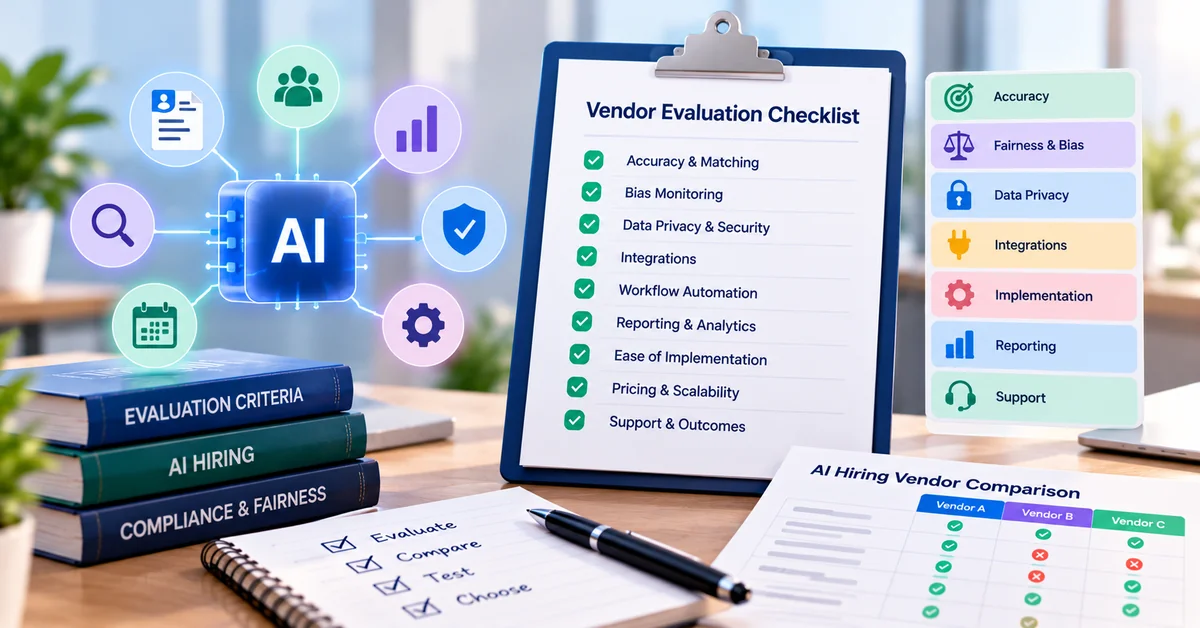
Don’t judge a tool by its demo or its marketing numbers. Judge it on a small test you run yourself, with results you can write down. The checks below need a spreadsheet and a few hours, not a data scientist.
Baseline impact. Measure: before and after time to first response, time to schedule an interview, recruiter hours per hire, and candidate drop-off by stage, using your own figures. Ask the vendor for: how other customers measured results, including method, sample and date. Red flag: only headline percentages with no method.
Parsing accuracy. Measure: upload 30 real resumes in mixed formats and count the fields (title, dates, skills) parsed correctly. Ask the vendor for: supported file types and known limits. Red flag: you can’t test your own files.
Ranking agreement. Measure: for 20 to 30 past applicants, have two recruiters rank them blind, then compare with the tool’s ranking; record overlap in the top group and any strong candidates the tool ranked low. Ask the vendor for: how the score is built and what benchmarks it uses. Red flag: they can’t say what the score is based on.
Consistency. Measure: run the same resume twice; swap names and pronouns and re-run; check whether scores move. Ask the vendor for: bias testing method and recent results. Red flag: scores change with the name alone, or no testing exists.
Explainability. Measure: pick five candidates and see whether the tool can show which criteria drove each score in language you could give the candidate. Ask the vendor for: a sample explanation output. Red flag: a score with no reasons.
Validation (for any predictive score). Measure: ask for the study, including outcome measured, role types, sample size, date, who ran it, and adverse-impact results. Ask the vendor for: a written validation summary. Red flag: “proprietary” with nothing shown.
Control and override. Measure: can a recruiter reorder, exclude a criterion, reject manually, and see an audit log? Ask the vendor for: admin and logging screens. Red flag: no way to overrule or review decisions.
Data handling. Measure: retention period, deletion on request, use of data for model training, and sub-processors. Ask the vendor for: data processing terms. Red flag: vague answers, or training on your candidates’ data by default.
Accessibility and candidate experience. Measure: test with a screen reader; track completion rate and complaints. Ask the vendor for: an accessibility statement. Red flag: candidates can’t complete steps without the AI feature.
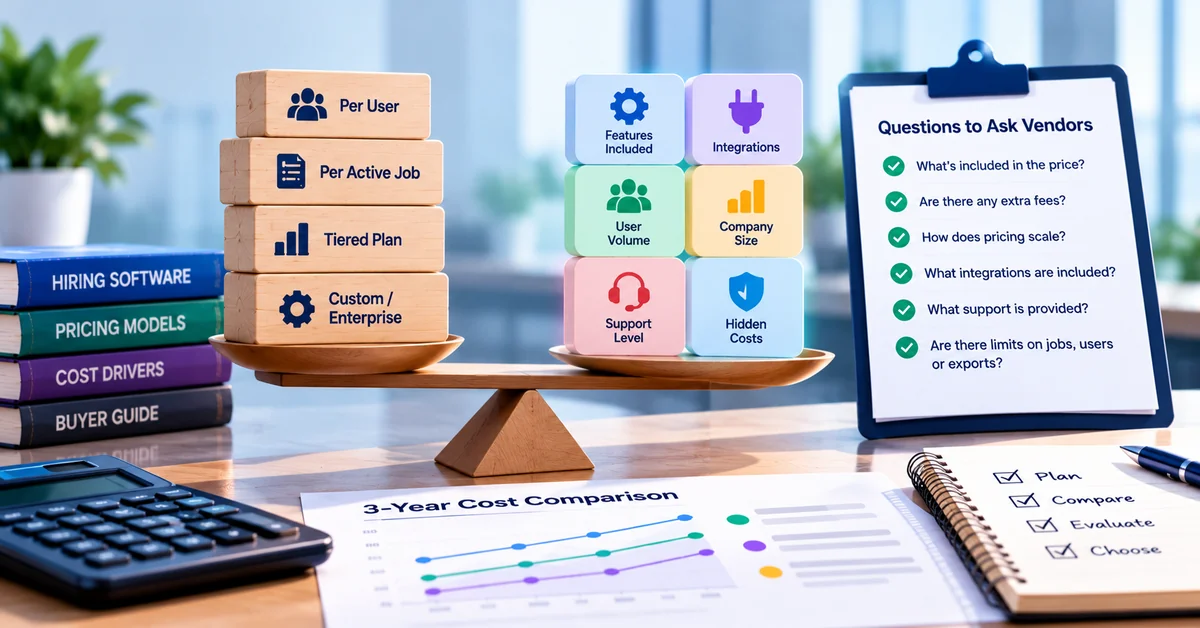
Cost against use. Measure: cost per hire and per active role at your real volume. Ask the vendor for: full pricing including add-ons. Red flag: per-seat or per-applicant fees that rise sharply with volume.
Run it as a pilot. Use the tool in shadow mode on two or three live roles: recruiters make their usual decisions first, then compare. Small samples are noisy, so a handful of disagreements is a reason to look closer, not a verdict. Write down what you decided and why. That record matters if a rule or a candidate ever asks.
A 30-day AI adoption roadmap for small teams
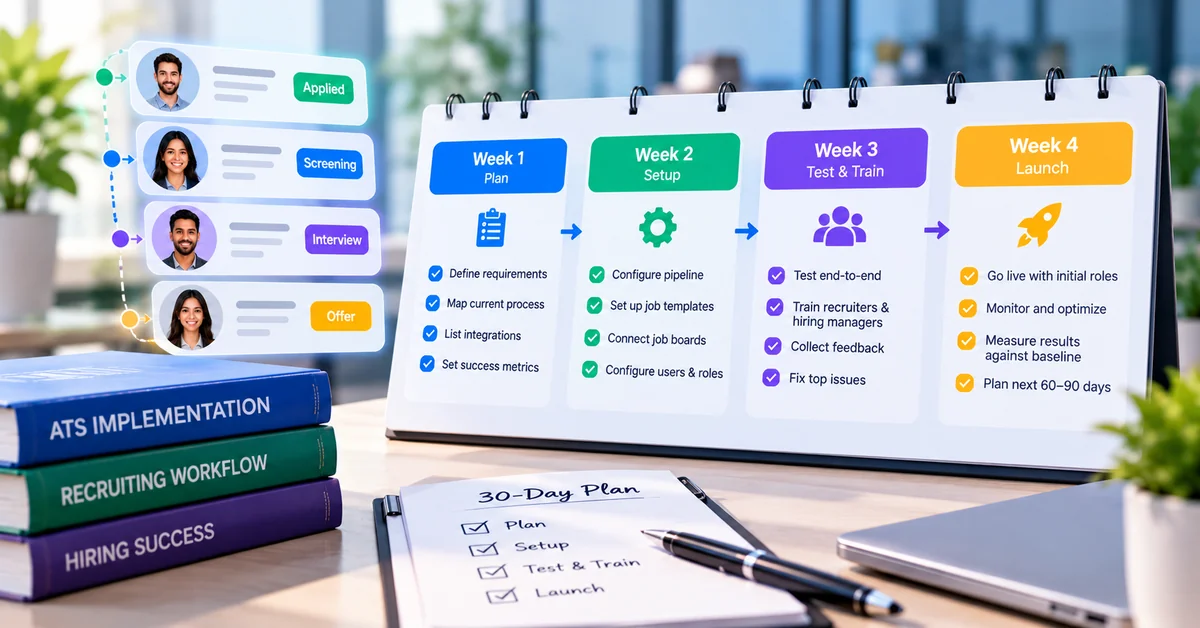
This plan assumes one person owns hiring part-time or full-time and you have one to three open roles. Adjust the pace to your volume. The goal after 30 days is not full automation. It is a clear decision, backed by your own numbers, on what to keep.
Week 1: baseline and rules. Map your current hiring steps. Record four numbers from your last few roles: time to first response, time to schedule interviews, recruiter hours per hire, and drop-off by stage. Write a one-page AI policy: what AI may do, what it may not do, who owns it, and what candidates are told. Write criteria for your open roles. Done when: you have a baseline and a named owner.
Week 2: Level 1 automation. Turn on interview scheduling with a manual fallback. Set up acknowledgment and status emails from approved templates. Draft job descriptions with AI and have the hiring manager trim and fact-check. Post to the boards you choose and track the source of each applicant. Add a plain AI-use notice to the application page. Done when: Level 1 is live on at least one role and candidates can reach a person.
Week 3: Level 2 in shadow mode. Run candidate search, summaries or matching alongside normal screening. Recruiters shortlist first, then compare with the tool. Log overlap and any strong candidate the tool ranked low. Run the name-swap and repeat-run checks. Done when: you have written results, including misses.
Week 4: review and decide. Compare with your baseline. Read candidate feedback. Check how many people advanced at each stage by group, with caution about small numbers. Decide for each feature: keep, adjust or stop. Set a quarterly review date and a date to re-test. Done when: you have a written keep, adjust or stop decision for each feature.
If week 3 shows the tool disagrees often with your recruiters, don’t force it. Narrow it to summaries or sorting, tighten the criteria, or leave it off. A feature you turned off after testing is a good result.
How SmoothHiring fits into the plan
SmoothHiring combines an applicant tracking system with AI-assisted matching, job distribution and interview scheduling, so a small team can follow the roadmap above in one place. The list below separates what AI can generally do from what SmoothHiring’s own product pages describe. Describing a feature is not the same as testing it, so use each Check note in a demo or trial.
Tracking applicants. AI can generally parse resumes into structured profiles and make them searchable. SmoothHiring describes an applicant tracking system with a central, searchable candidate database that stays available after a job closes, resume parsing for .doc, .docx and PDF files, and custom stages, scorecards and a pipeline dashboard. Check: upload your own mixed-format resumes and review the parsed fields.
Matching and screening. AI can generally sort and summarize applicants against criteria. SmoothHiring describes AI features that recommend candidates from a job description, a screening assistant that summarizes skills and experience, and a 0 to 100 Competency Alignment Score measured against benchmarks set from your top performers or from SmoothHiring’s industry benchmarks. Competency weights can be configured, and results appear as a ranked shortlist. Check: how the score is built, what the benchmarks are, how it is tested for unequal impact, and whether it can show reasons for each ranking.
Job descriptions. AI can generally draft a first version quickly. SmoothHiring describes an AI job description wizard. Check: whether you can edit freely and remove inflated requirements.
Posting and sources. AI and automation can generally publish once to many places and compare results. SmoothHiring describes job distribution from one posting to job boards and social platforms, free boards in plans with sponsored boards as add-ons, and per-source analytics on applicant volume, cost per applicant and time to first applicant. Check: exactly which boards are included in your plan and which cost extra.
Scheduling. Software can generally offer open slots and send reminders. SmoothHiring describes interview scheduling with Google and Outlook calendar sync, candidate self-scheduling, reminders and confirmations, panel coordination and time-zone handling. Check: how panel interviews, rescheduling and accessibility requests work.
Candidate communication. AI can generally draft and send routine messages. SmoothHiring describes email campaigns and workflow automation for follow-ups and stage changes; AI-generated candidate emails are mentioned on the AI page. Check: whether you can approve templates and keep a person in charge of rejections.
Where each feature sits in the roadmap
Week 2 (Level 1): scheduling, job distribution with source tracking, candidate emails from approved templates, and the job description wizard.
Week 3 (Level 2, shadow mode): AI resume search, the screening assistant and the ranked shortlist, compared against your recruiters’ independent picks.
Not before validation (Level 3): use of the Competency Alignment Score or any predictive feature to cut candidates. For any scoring feature, including ours, ask how the score is built, what it was tested on, and how unequal impact is monitored.
SmoothHiring also offers predictive hiring tools, and the same rule applies: treat them as decision support until you have reviewed the evidence for your roles.
Frequently asked questions
What is AI in recruitment?
What is AI in recruitment?
AI in recruitment is software that uses machine learning or language models to help with hiring tasks such as writing job descriptions, parsing and summarizing resumes, ranking candidates against criteria, scheduling interviews and drafting candidate messages. It supports recruiters; it does not replace the need for human decisions.
Where is AI most useful in hiring?
It is most useful on repetitive, rule-based tasks that a person can check quickly: scheduling, status updates, job posting, first-draft job descriptions and resume parsing. These carry the lowest risk if the tool makes a mistake.
Can AI predict which candidate will perform best?
Not reliably on its own. A prediction needs validation: evidence that the score relates to performance in roles like yours, plus testing for unequal impact on protected groups. Ask any vendor for the study, sample and date.
Is AI resume screening biased?
It can be. A University of Washington test of three open-source language models found a strong preference for resumes with white-associated names. That test did not cover any specific commercial product, so test your own tool by swapping names and pronouns and comparing outcomes.
Is it legal to use AI in hiring?
In general yes, but rules differ by location. New York City, Illinois and California have specific requirements, with more taking effect in 2027. You remain responsible for discrimination that results from a tool you buy. Check with employment counsel.
Do I have to tell candidates I use AI?
Some places require notice, and plain disclosure is good practice everywhere. Say what the AI does, that a person reviews decisions, and how to ask for an accommodation or a review.
How should a small business start with AI recruiting?
Begin with administrative tasks (scheduling, emails, job posting, job description drafts), record a baseline, then test candidate sorting in shadow mode alongside your recruiters before using it to guide who advances. The 30-day roadmap above lays this out week by week.


